AI product video prompts turn a product photo and a clear selling angle into a scene an AI video tool can interpret.
A useful prompt names the product, action, setting, camera move, light, mood, and exclusions in plain language. Start with one visual idea, keep the product physically believable, and generate short clips that can be assembled into an ad. The eight templates below are designed for small brands working from a phone.
You do not need cinematic jargon. You need a specific subject, a controlled action, and a reason for the viewer to keep watching.
Why AI product video prompts work
AI product video prompts work best when they reduce ambiguity. “Make this exciting” leaves the scene, movement, lighting, and product behavior undecided. “Slow push-in toward a matte candle jar on warm stone, soft side light, steady camera” gives the generator visible instructions.
Think of a prompt as a miniature shot brief, not a finished commercial. Each generation should produce one usable beat: a reveal, demonstration, texture detail, scale cue, or closing packshot. You can then order those beats using a simple product video shot list.
Format matters before you generate. According to YouTube Help (2024), square or vertical videos uploaded on or after October 15, 2024, can be categorized as Shorts when they are up to three minutes long. That does not mean your ad needs three minutes; it means the crop and framing should be chosen deliberately from the start.
What should an AI product video prompt include?
An AI product video prompt should include seven parts: subject, action, setting, camera, light, mood, and constraints. Put product identity and physical behavior first. Place style words later, and finish with the details that must not change.
Copyable formula: [Product and material] [single action] in [setting]. [Camera framing and movement]. [Lighting]. [Mood and color palette]. Keep [shape, color, packaging, proportions] consistent. No text changes, extra objects, warped edges, floating parts, or logos added.
Replace the brackets with concrete nouns and verbs. If the result keeps drifting, shorten the prompt rather than stacking more adjectives. One scene with one movement is easier to judge and easier to edit.
8 AI product video prompt scenes to try
1. The clean pedestal reveal
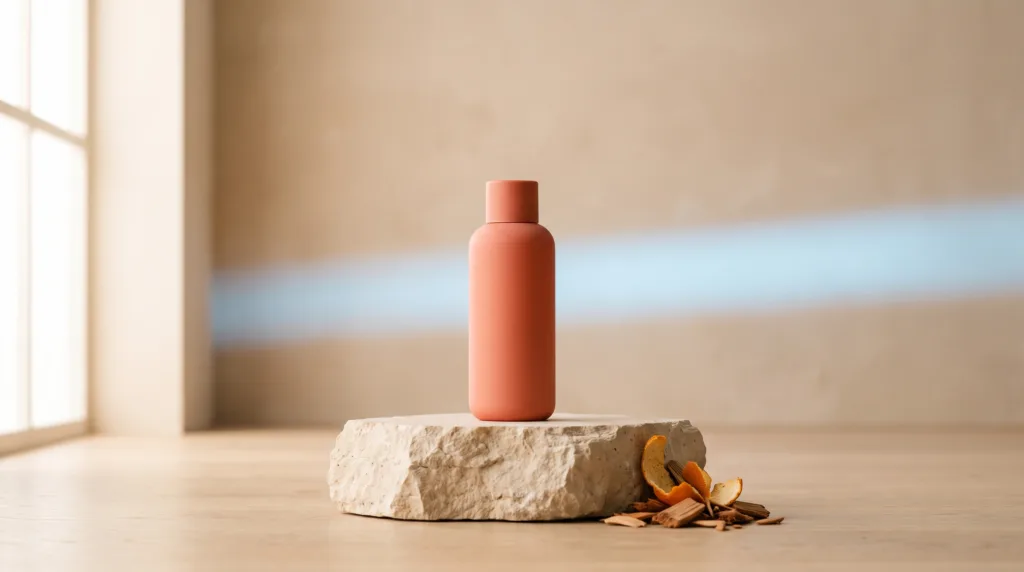
Use this for a hero opening or closing frame: “Matte skincare bottle standing on a pale stone pedestal. Slow camera push-in from medium shot to close-up. Soft window light from the left, gentle shadow, neutral cream palette. Keep bottle shape, cap, color, and label placement unchanged. No extra products or text.”
2. The ingredient orbit
Show the product beside two or three recognizable materials, not a crowded cloud of objects: “Amber candle jar surrounded by cedar chips and dried orange peel on dark wood. Slow clockwise camera orbit. Warm side light and soft falloff. Calm evening mood. Ingredients remain on the surface; no floating pieces, flames, smoke, or altered packaging.”
3. The texture close-up
Use texture when touch or finish is a buying cue: “Macro close-up of thick hand cream forming one smooth ribbon beside the tube. Locked camera with a slight focus pull from cream to package. Bright diffused daylight, clean white surface. Preserve the tube design and realistic cream texture. No splashes or extra lettering.”
4. The use-case moment
Show the product doing one understandable job: “Compact travel organizer placed into an open carry-on by a natural hand. Overhead three-quarter view, gentle handheld movement, morning hotel light. Practical, calm mood. Keep organizer dimensions and zipper layout consistent. No visible documents, screens, brand marks, or distorted fingers.”
5. The before-and-after transition
Avoid impossible promises; change the scene, not the customer: “Messy desk transitions to an organized desk as the cable holder stays centered in the same position. Static overhead camera, quick wipe transition, crisp daylight. Preserve product color and scale. No performance claims, labels, extra cables, or changing product geometry.”
6. The material transformation
Use a surrounding material to create mood without coating or deforming the product: “Silver headphones centered on black glass as a band of cool blue light passes behind them. Slow tilt upward, sharp rim light, dark editorial mood. Headphones remain solid, dry, and unchanged. No liquid on the product, sparks, text, or duplicate parts.”
7. The scale-and-fit demonstration
Give viewers a familiar reference: “Small ceramic planter placed beside a paperback-sized blank card and a houseplant leaf. Gentle lateral camera slide, soft afternoon light, warm home setting. Keep true proportions and a stable tabletop. The card is completely blank; no writing, measurements, logos, or changing pot shape.”
8. The three-beat mini ad
Generate this as three separate clips, not one overloaded request: “Clip one: sealed snack pouch enters frame on a bright kitchen counter, quick push-in. Clip two: close-up of one crisp piece beside the open pouch, locked camera. Clip three: centered pouch packshot with a soft shadow. Consistent daylight and packaging in every clip.”
When you want to move from a still image to generated variations, our team’s iPhone app can turn a product photo into a short ad in Prodvid. According to its App Store listing (2026), the app offers more than 700 effects and portrait, landscape, and square output; choose one effect that supports the selling angle rather than trying several visual ideas in a single clip.
How do you use AI product video prompts on a phone?
Use a repeatable process so you can tell whether the prompt or the source photo caused a problem.
- Prepare one clean photo. Use even light, a simple background, sharp edges, and an unobstructed view of the product.
- Choose one ad angle. Decide whether the clip communicates texture, use, scale, material, mood, or reveal.
- Paste one prompt. Change the product nouns and fixed details before generating.
- Inspect identity first. Check shape, color, cap, handles, seams, and package proportions before admiring the movement.
- Save short usable beats. Combine an opener, proof shot, and packshot rather than asking one clip to do everything.
- Make controlled variants. Change only the hook, background, camera move, or pacing. The product video ad variations workflow shows how to test from one shoot without losing the comparison.
What should you check before publishing?
Check whether the product remains trustworthy from the first frame to the last. AI motion can look polished while quietly changing a cap, label, cord, clasp, or package edge.
- Product shape and color stay consistent.
- Hands, reflections, shadows, and contact points look natural.
- No label copy, logo, ingredient, or safety information has changed.
- The product does not float, melt, bend, duplicate, or pass through objects.
- The first two seconds communicate one clear idea.
- Important details remain inside the intended crop.
- Claims shown or spoken match what the product actually does.
- Music, footage, and likenesses are cleared for your use.
Run the final export through this AI product video quality checklist. Review once at normal speed, once frame by frame, and once with the sound off.
FAQ
How long should an AI product video prompt be?
Most useful prompts fit in 40 to 80 words. Length matters less than clarity: name one product, one action, one setting, one camera move, and the fixed details. If several instructions conflict, split the concept into separate clips and edit them together.
Can I use the same prompt for every product?
You can reuse the structure, but not every visual instruction. A reflective bottle needs different light from soft clothing, while food needs believable texture and contact. Replace the material, movement, scale cues, and failure constraints for each product.
Why does my product change during AI video generation?
The model may have too little visual evidence or too many competing instructions. Start with a sharper source photo, simplify the scene, reduce camera movement, and explicitly preserve shape, color, proportions, and closures. Reject clips where important commercial details drift.
Should I generate one long ad or several short clips?
Several short clips are usually easier to control. Generate an opener, demonstration, detail, and packshot separately, then assemble the strongest pieces. This makes continuity problems easier to spot and lets you replace one weak beat without rebuilding the entire ad.
Key takeaways
- Write prompts as shot briefs with a visible subject, action, setting, camera move, light, and constraints.
- Ask each clip to communicate one selling idea.
- Use clean source photos and preserve product identity before adding elaborate motion.
- Generate short beats, then assemble and test controlled variations.
- Inspect packaging, anatomy, reflections, claims, and crop before publishing.
Sources
- YouTube Help: Understand three-minute YouTube Shorts (platform guidance referenced in 2026).
- Apple App Store listing for Prodvid (feature information accessed in 2026; linked contextually above).