The product poster effect turns one packshot into a campaign-style frame by combining a clear silhouette, controlled color, directional light, and deliberate negative space. For a small brand, the practical version is simple: feature one product, choose one visual mood, reserve room for copy, and animate only the elements that support the product.
This guide gives phone-first sellers four adaptable looks, a step-by-step setup, a copyable prompt, and checks for turning a still poster composition into a short product ad.
Why the product poster effect works
A poster composition gives the viewer a fast hierarchy: product first, mood second, supporting message third. That hierarchy matters on a small screen, where several products, props, colors, and claims can quickly compete with one another.
The effect also separates shooting from finishing. You can capture a clean packshot near a window, then decide whether the final scene should feel quiet, energetic, warm, or futuristic. Start with the twelve clips in this phone product video shot list if you also need moving details and hand-held footage.
Think of the poster as a key frame rather than a finished ad. In video, a two-second light sweep, a slow push-in, or a shadow moving behind the product is often enough. The goal is not constant motion; it is a controlled reveal with a readable focal point.
4 product poster effect looks to try
1. Violet chrome for skincare
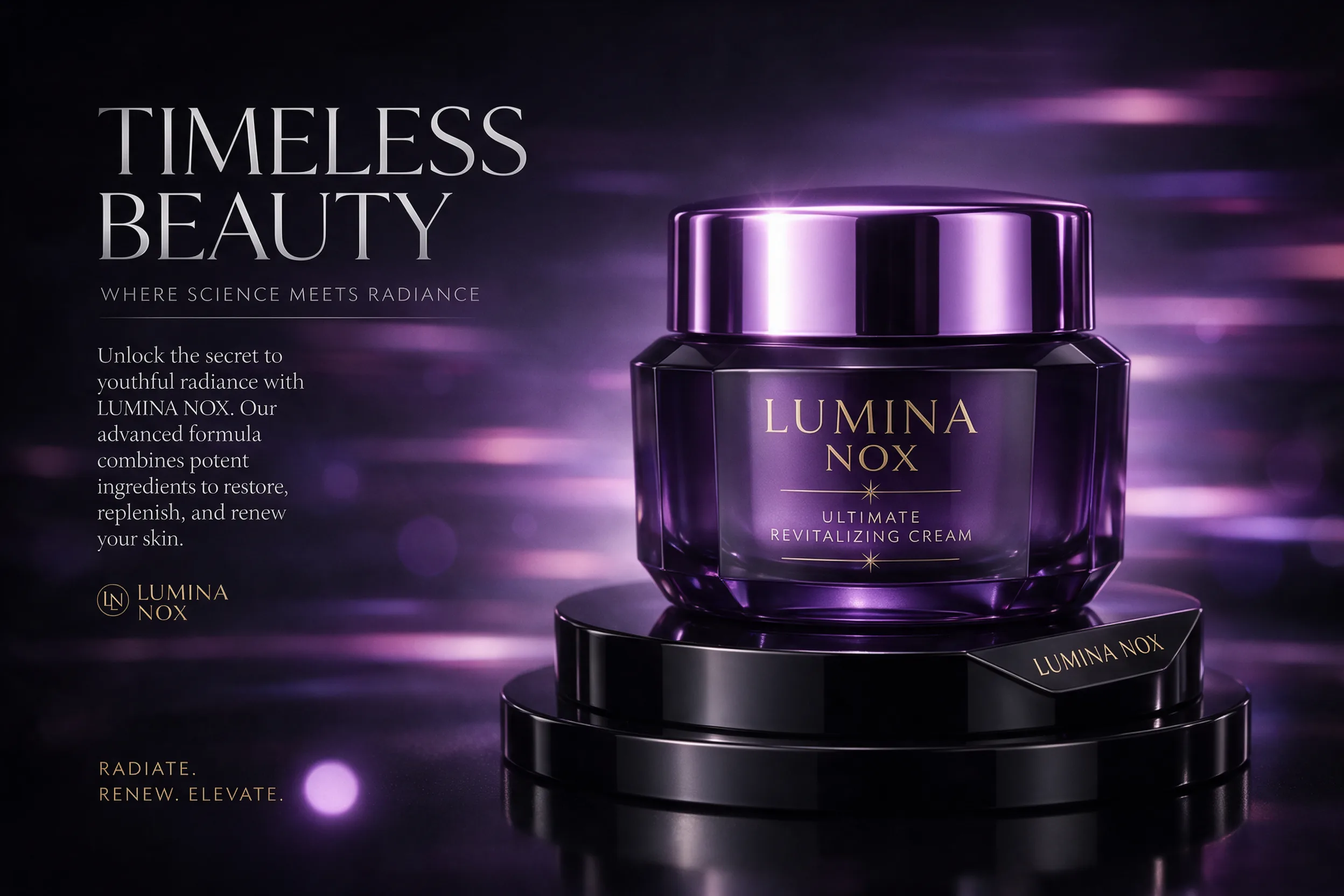
Use a dark surface, one narrow side light, and a violet or magenta bounce card. Keep the jar label facing the camera and let the brightest reflection trace its edge. In motion, move a small light slowly from one side to the other rather than rotating the product.
Shot cue: Start on the highlight, push toward the jar for three seconds, then cut to one texture detail. This look suits skincare, candles, small accessories, and any object with reflective packaging.
2. Cyan and orange for footwear
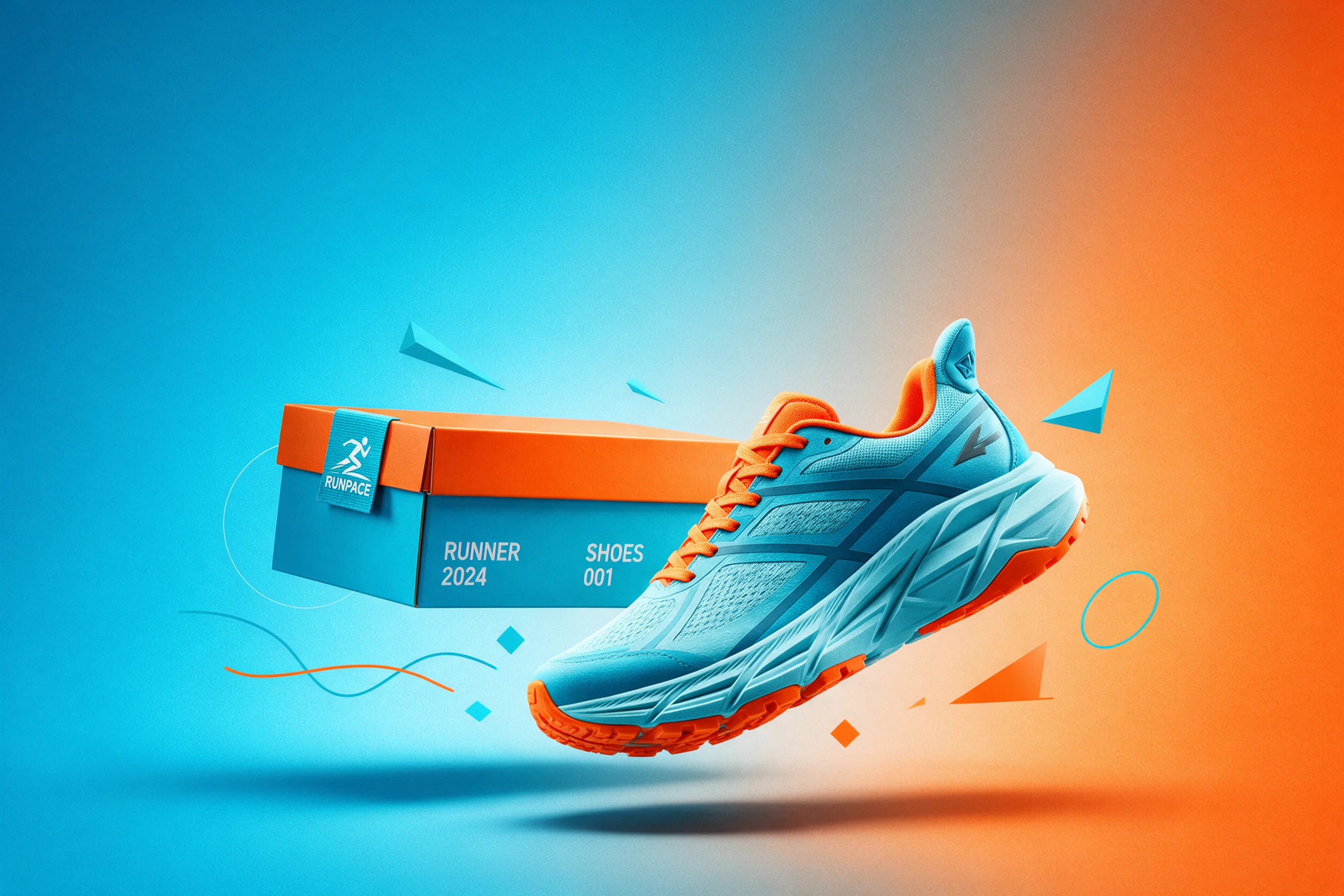
Place the shoe at a slight angle so the toe and sole create a strong diagonal. Use cyan behind the heel and orange near the toe, or reverse the pairing to match your brand. A plain sheet of colored card can provide the background; you do not need a complex set.
Shot cue: Film a low side pass, a lace detail, and a sole landing. Keep decorative shapes behind the silhouette so they never cover the product.
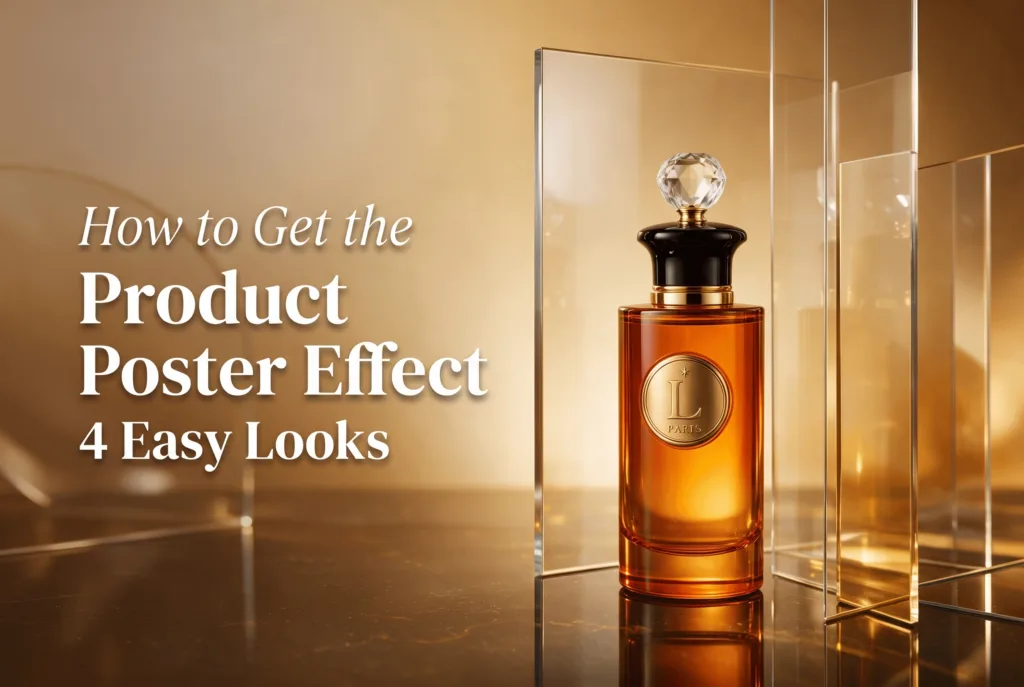
3. Warm amber for fragrance and gifts
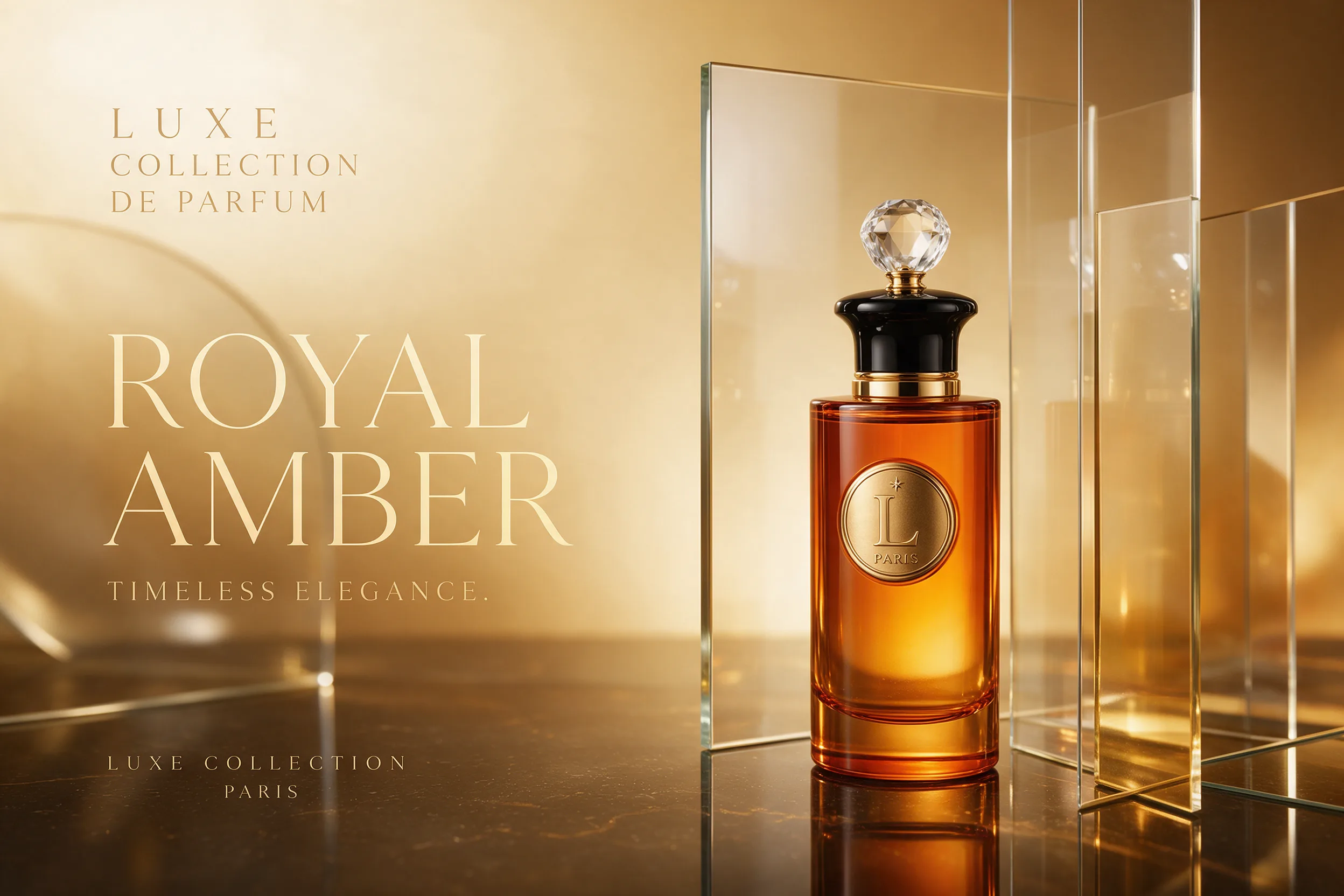
Put the bottle in front of amber card or a warm lamp and place clear acrylic or drinking glasses farther back. Shoot slightly below the product shoulder so the stopper feels prominent. Lock exposure on the bottle, not the brightest background reflection.
For a cooler variation, borrow the reflective surfaces from the liquid chrome product effect. Change one material at a time so you can tell whether color, reflection, or camera angle improved the frame.
4. Neon grid for drinks and gadgets
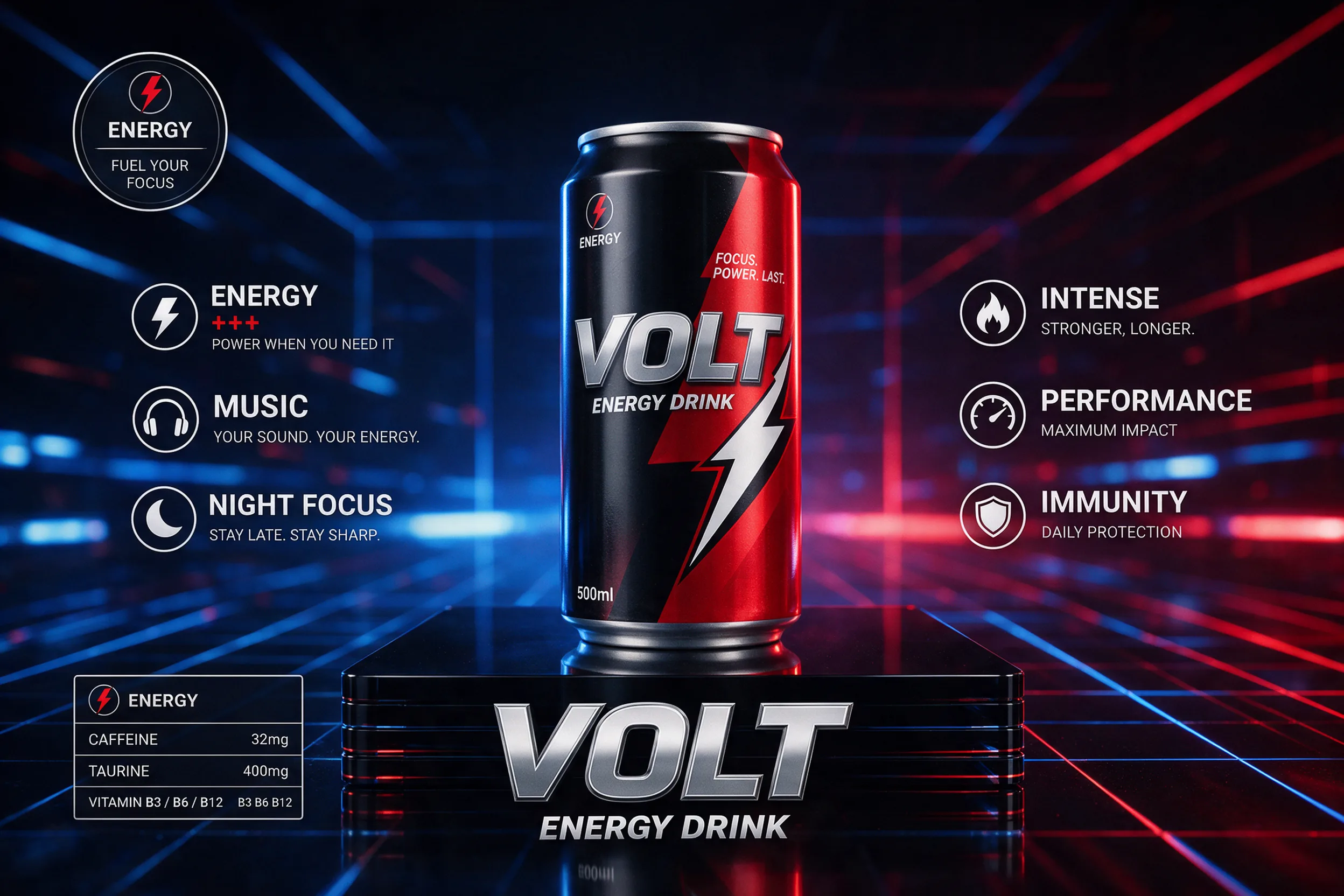
Stand the can or gadget on black acrylic, then light opposite edges with red and blue lamps. Keep the center readable and avoid placing bright lines directly through the product. For video, animate one background light or slide the camera a few centimeters; doing both can make the scene feel busy.
Shot cue: Open with a dark silhouette, switch on one edge light, then reveal the second color. Finish on a stable hero frame that can hold a short caption outside the product.
How do you make a product poster effect?
Make the effect by building the composition in layers and approving each layer before adding the next. A clean source photo is more useful than a dramatic photo with clipped highlights or hidden edges.
- Clean the product. Remove dust, fingerprints, and bent packaging before shooting.
- Choose one promise. Decide whether the frame should communicate calm, speed, warmth, or intensity.
- Set one dominant color pair. Use a main hue and one accent rather than a full rainbow.
- Reserve negative space. Leave one side or the upper third quiet for later copy.
- Shoot a safe master. Capture a centered, sharp packshot before experimenting with angles.
- Add one motion cue. Pick a push-in, light sweep, reflection move, or quick cut.
- Check the product. Confirm that its shape, color, label, and proportions remain accurate.
If you want to explore the scene from one clean photo, you can create an AI product video ad in Prodvid, our iPhone app, then compare the result with your original packshot before publishing.
Copyable product poster prompt
Hero product poster featuring [product] on [surface], [main color] light with [accent color] edge light, clean silhouette, realistic materials, commercial product photography, strong negative space on [side], subtle depth, centered visual hierarchy, no extra products, no invented labels, vertical-safe composition.
Keep brand copy out of the generation prompt when possible. Add verified wording later in your editor, where spelling, placement, and safe zones are easier to control.
How do you frame it for phone-first video?
Compose the master scene with enough space to crop vertically. Keep the product near the optical center and avoid critical details at the extreme edges. A wide source can still be useful for shop banners, but your hero object must survive a 9:16 crop.
According to Meta’s Reels Ads Guide (2026), Reels ads use a 9:16 ratio, and Meta recommends keeping parts of the frame clear for interface elements. That makes a quiet border around the product more practical than filling every corner with props.
According to TikTok’s in-feed ad specifications (2026), vertical 9:16 is recommended, with a minimum listed resolution of 540 by 960 pixels for non-Spark ads. Shoot at a higher native resolution, but use that guidance to test whether the composition remains legible at small display sizes.
Phone-first export checklist
- The product is recognizable in the first frame.
- The vertical crop does not cut off the cap, toe, handle, or base.
- On-screen copy sits outside the product silhouette.
- Every claim and label matches the real item.
- Reflections do not create a false second product.
- The final hero frame can be understood with sound off.
- The file is reviewed once on an actual phone before posting.
FAQ
What is a product poster effect?
A product poster effect is a campaign-style composition built around one hero item. It uses lighting, color, negative space, and a strong silhouette to make a packshot feel designed rather than merely documented. In video, subtle camera or light movement turns that composition into a short ad scene.
Can I shoot a product poster effect with an iPhone?
Yes. Use the rear camera, clean the lens, lock focus and exposure, and stabilize the phone on a tripod or solid surface. Window light, colored card, a desk lamp, and clear acrylic can create most of the structure. The quality of the silhouette matters more than the size of the set.
Should text be created inside the product image?
No, not for final brand copy. Generate or shoot a clean scene with deliberate empty space, then add approved text in an editor. This gives you control over spelling, type, legal claims, and platform safe zones while keeping the product image reusable across formats.
How long should a product poster video be?
Use the shortest length that communicates the product and its mood. A useful starting structure is a one-second reveal, two or three seconds of controlled movement, one detail cut, and a stable closing frame. Extend it only when a demonstration or explanation genuinely needs more time.
Key takeaways
- Build the frame around one product, one mood, and one dominant color pair.
- Treat the poster as a key frame, then add one purposeful motion cue.
- Leave negative space so copy and platform interface elements do not cover the product.
- Keep product shape, color, labels, and proportions faithful to the real item.
- Test the 9:16 crop and final export on a phone before publishing.