Apparel product video ideas are short, repeatable concepts that show fit, fabric, movement, and styling without requiring a studio. For small clothing brands, the most useful mix is a clean garment reveal, a close fabric study, a fit sequence, a styling change, a detail demo, a packing story, and a customer-problem hook—all filmed vertically on a phone.
This guide is for independent labels, marketplace sellers, and makers who need a week of usable clothing content from one compact shoot. You will leave with seven concepts, a practical shot order, and a copyable 20-second script.
Why do apparel product videos work?
Apparel needs movement because a still image cannot fully show drape, stretch, weight, or how a garment changes as the wearer turns. A good video answers one buying question at a time: What is the fit? How does the fabric behave? Which details make this piece useful?
Short-form platforms also provide a large discovery surface. According to YouTube Press (2026), YouTube Shorts averages more than 200 billion daily views. That number does not guarantee reach, but it explains why a vertical master edit is a sensible starting point for a small brand.
Competition is equally intense. According to YouTube Press (2026), more than 20 million videos are uploaded to YouTube each day on average. A clothing clip therefore needs a clear visual point in its opening moment rather than a slow logo reveal.
Instagram offers another useful editing clue. According to Instagram (2023), important Reels predictions include whether someone will reshare a reel or watch it all the way through. Build the clip around one complete, easy-to-follow idea instead of combining every garment feature in one edit.
7 apparel product video ideas to film this week
1. The hanger-to-outfit reveal
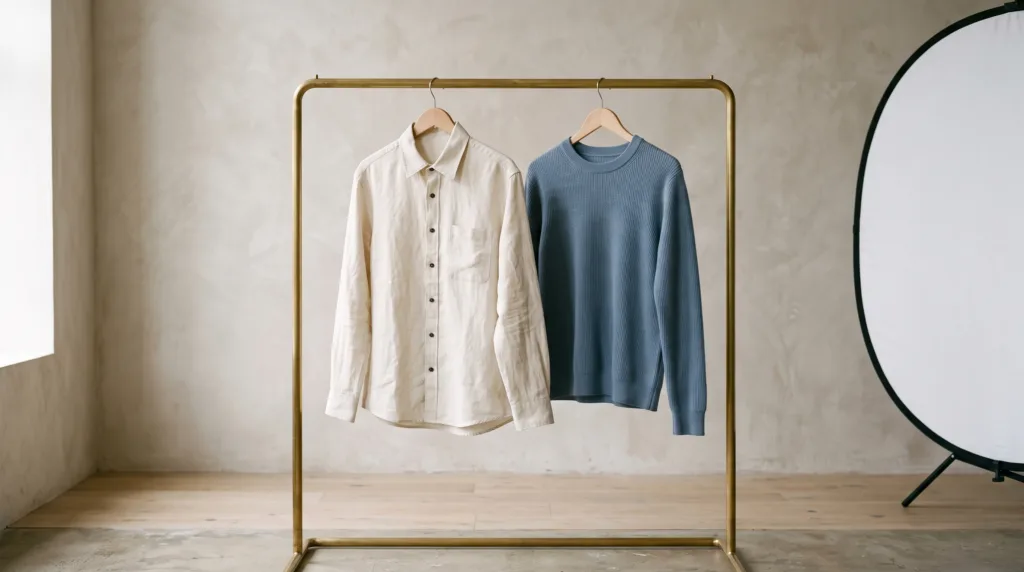
Open on the garment hanging against a plain wall. Cover the lens with the fabric, then cut to the complete outfit on a person or dress form. Keep the camera position fixed so the transformation reads instantly.
This concept is strongest when the first frame shows the exact color and silhouette. Add one walking or turning clip after the reveal rather than holding a static pose.
2. The three-angle fit check
Record the front, side, and back from the same distance. Ask the model to stand naturally, then make one slow quarter-turn between angles. This is more informative than a fast montage because viewers can compare the garment’s shape.
Place a strip of tape on the floor for consistent positioning. Lock exposure and focus before recording so the color does not shift between clips.
3. The fabric movement test
Use a close shot to show what the material does. Gently lift a hem, release a sleeve, stretch a ribbed panel, or walk past the camera so lightweight fabric moves through the frame.
Choose one motion that matches the garment. A structured jacket benefits from a crisp lapel and cuff close-up; a soft dress benefits from a turn that shows drape.
4. One piece, three outfits
Keep the featured item constant while changing one surrounding layer or accessory. A shirt can move from denim to tailoring to an open overshirt look. Film every version in the same place and use the same body position for clean cuts.
Make the product easy to identify in all three looks. If styling overwhelms it, simplify the palette and bring the camera closer.
5. The functional detail demo
Demonstrate a pocket, zip, adjustable strap, lining, fastening, reversible side, or hidden construction detail. Start with the detail already near the camera, then show a hand using it in one deliberate motion.
Do not claim performance you cannot demonstrate. Show the mechanism and let the visual evidence carry the message.
6. The order-packing story
Build a tactile sequence: fold the garment, add tissue, close the parcel, and place it beside the finished order. Capture each action as a separate two-second clip. Natural sounds such as fabric movement and paper folds can make the sequence feel specific and real.
Keep customer information, shipping labels, and private order details outside the frame. Use blank packaging if necessary.
7. The problem-to-product hook
Open with a familiar wardrobe frustration, then demonstrate the relevant design detail. Examples include a shirt that will not stay tucked, a pocket that cannot hold essentials, or a layer that feels bulky under a coat.
Frame the claim narrowly. “A flat seam under a jacket” is clearer and safer than promising universal comfort. Your footage should visibly support the point.
How do you shoot apparel product videos on a phone?
Use soft light, repeatable positions, and a shot order that protects color consistency. The following process produces enough coverage for several edits without making the shoot complicated.
- Prepare the garment. Steam it, remove lint, check fastenings, and hide visible third-party branding.
- Choose one background. Stand near a large window with indirect light. Avoid mixed daylight and warm ceiling lights.
- Stabilize the phone. Use a tripod or fixed shelf, clean the lens, and shoot the vertical master with the rear camera when practical.
- Lock the frame. Mark the phone and model positions with tape. Leave room around sleeves, hems, and raised arms.
- Record the essentials. Capture a full-body hold, front/side/back fit, fabric close-up, construction detail, and movement shot.
- Repeat the best action. Record each key motion twice—once at normal pace and once more slowly.
- Review before packing. Check focus, color, wrinkles, clipped hands or feet, and accidental labels while the setup is still intact.
For broader coverage, use this 12-clip product video shot list. If one horizontal take must serve several placements, review the product video aspect ratio guide before placing the garment near an edge.
Copyable apparel shoot checklist
- Garment steamed and lint-free
- Lens cleaned and battery charged
- One soft light direction
- Background free of signs and clutter
- Full garment visible in the wide shot
- Front, side, and back fit recorded
- Fabric movement shown once
- Two construction details captured
- Opening hook readable without sound
- Final clip checked at normal phone brightness
A copyable 20-second apparel video script
Use this simple sequence when you want one product-focused edit rather than a trend-dependent video. Replace the bracketed phrases with details you can prove on camera.
0–2 seconds: “The [garment] built around [specific detail].” Show the finished look immediately.
2–6 seconds: Front and side fit while the wearer turns once.
6–10 seconds: Close-up of [fabric or construction detail] in use.
10–15 seconds: Walking, sitting, layering, or another movement relevant to the item.
15–18 seconds: Pair it with a second outfit or show the back view.
18–20 seconds: Clean garment hold and a factual closing line such as “[color or fit] shown in natural window light.”
If you have a clean garment photo but cannot arrange an on-model shoot, you can create an apparel product-with-model video in Prodvid, our iPhone app for AI product video ads; inspect the generated clothing, body details, and brand accuracy before publishing.
FAQ
What should an apparel product video show first?
Show the complete garment or its strongest benefit in the first shot. A full outfit, distinctive silhouette, or useful construction detail gives the viewer immediate context. Avoid beginning with packaging, a logo animation, or an empty room unless that setup itself explains the product.
How long should a clothing product video be?
A clothing product video should be only as long as its single idea needs. A reveal may work in 8–12 seconds, while a fit check or three-outfit sequence may need 15–25 seconds. Remove repeated angles and keep any longer version for the product page.
Do you need a model for apparel video ads?
No, but a model is useful when fit and movement affect the purchase decision. Flat lays, hangers, dress forms, detail demonstrations, and packing clips can still communicate material and construction. If you sell size-sensitive clothing, add accurate measurements and multiple fit references outside the video.
How do you make clothing colors look accurate on a phone?
Use one consistent light source, turn off mixed indoor lighting, lock exposure and white balance when your camera app allows it, and avoid colored walls reflecting onto the garment. Compare the recording with the real item before editing, then keep color adjustments restrained.
Key takeaways
- Build each apparel video around one buying question: fit, fabric, movement, styling, detail, packing, or problem-solving.
- Film front, side, back, detail, and motion coverage before experimenting with transitions.
- Keep the phone and model positions repeatable so outfit changes cut cleanly.
- Use narrow, demonstrable claims and review every frame for color and garment accuracy.
- Create one vertical master, but leave enough space to adapt it for other placements.
Sources
- YouTube Press, platform statistics, accessed October 2026.
- Instagram, “Instagram Ranking Explained”, May 31, 2023.