15-second product video storyboard planning turns one short ad into a sequence of purposeful shots. It is useful for small brands that need to film quickly, keep the product clear, and edit without guessing what comes next.
A strong 15-second storyboard assigns one job to every moment: stop the scroll, identify the problem, demonstrate the product, prove the benefit, and finish with a clear next step. Plan seven compact shots before filming, then capture each shot in several takes so the edit stays fast and flexible.
This guide gives you a seven-shot structure, a copyable planning template, phone-production advice, and checks for adapting the same sequence to Reels, Shorts, and vertical ads.
Why a 15-second product video storyboard works
Fifteen seconds is long enough to show a small transformation but short enough to expose vague planning. A storyboard prevents the common mistake of collecting attractive clips that do not build a persuasive sequence.
Think in beats rather than seconds. The opening earns attention, the middle makes the product understandable, and the ending tells the viewer what to remember. This structure also makes variations easier: change the first shot or proof shot while keeping the rest of the edit intact.
A storyboard is not a set of polished drawings. For a phone shoot, a row of seven boxes with framing, action, and spoken or on-screen message is enough. Pair it with a practical product video shot list when you need extra close-ups and cutaways.
The 7-shot 15-second product video storyboard
1. Hook: show the tension in 0–2 seconds
Open on the problem, an unusual product detail, or the result in motion. A candle seller might show a dark room becoming warm; a jewelry seller might begin with a bright reflection crossing the piece. Skip greetings and logos because the first frame must communicate visually.
2. Context: make the situation recognizable
Use a wide or medium shot that says where the product belongs. Keep it brief: a desk, bathroom shelf, kitchen counter, or packed travel bag can establish use in less than a second. The setting should support the story, not compete with the item.
3. Product reveal: make the item unmistakable
Move to a clean hero angle. Let the label or distinctive shape face the camera, but avoid a static hold that drains momentum. A slow hand placement, short push-in, or turntable motion adds useful movement.
4. Demonstration: show one action
Choose the single action most closely tied to the benefit: opening, applying, pouring, attaching, folding, or switching on. One readable action is stronger than three rushed features. If hands are visible, rehearse the movement and reset the product between takes.
5. Detail: provide visual proof
Cut closer to texture, fit, finish, or response. Show the cream spreading, the clasp closing, the fabric flexing, or the tool making a clean mark. This is evidence the viewer can interpret without a paragraph of claims.
6. Payoff: return to the result
Show the improved state created by the product. Keep the claim proportional to what the footage proves. A tidier cable setup is visible; a promise of life-changing productivity is not.
7. End frame: state one next step
Finish with the product held or placed clearly and leave visual space for a short action line during editing. Use one instruction, such as “See the colors” or “Shop the set,” rather than stacking several requests.
A copyable 15-second storyboard template
Copy this table into a note and replace the prompts with your product. Timing is a starting point, not a rule; protect the demonstration and trim context first if the edit runs long.
| Time | Shot job | Picture | Message |
|---|---|---|---|
| 0–2s | Hook | Problem or result in motion | Why stop? |
| 2–4s | Context | Product-use setting | Who is this for? |
| 4–6s | Reveal | Clear hero angle | What is it? |
| 6–9s | Demo | One complete action | How does it work? |
| 9–11s | Detail | Texture or mechanism | What proves it? |
| 11–13s | Payoff | Improved state | What changes? |
| 13–15s | End frame | Clean product hold | What next? |
Write no more than one sentence of voiceover per row. Read the full script aloud with a timer, then remove repeated ideas. For alternate openings, use the patterns in our product video hooks guide.
If you have a clean product photo but cannot film every planned environment, you can turn a product photo into a short ad in Prodvid, our iOS app for AI product video ads. Treat generated footage like any other shot: check product shape, labels, motion, and brand consistency before publishing.
How do you shoot the storyboard on a phone?
Shoot for the edit: lock the format, light, and product position before recording, then capture each storyboard box in order. This reduces continuity errors and makes missing coverage obvious while the setup is still assembled.
- Choose the final frame first. For vertical placements, set the phone upright and keep important details away from the extreme edges.
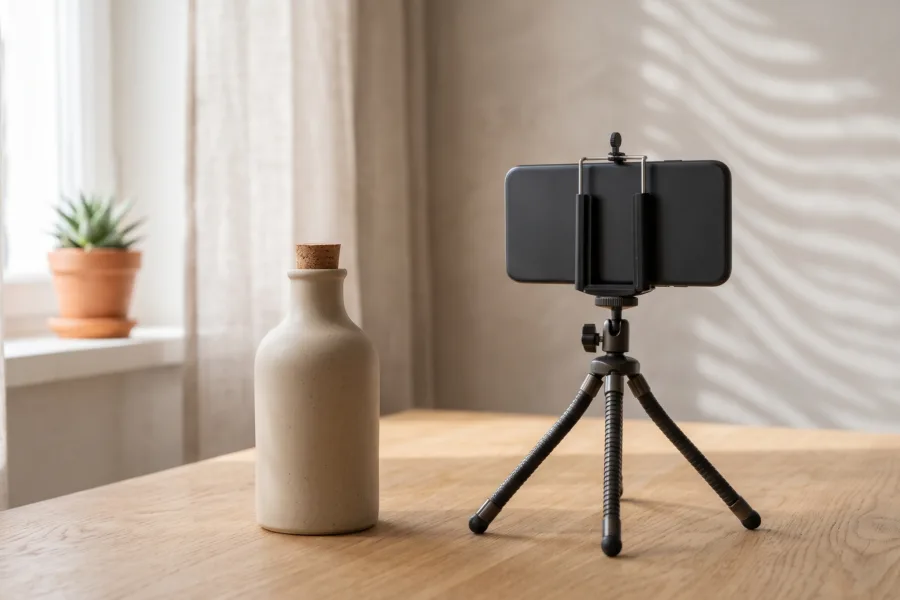
- Clean the lens and stabilize the phone. Use a small tripod or brace the device against a solid object.
- Use one large soft light source. Window light through a sheer curtain or a diffused lamp is easier to match than mixed overhead lighting.
- Lock focus and exposure. Prevent brightness from pumping when a hand enters the frame.
- Record three takes per shot. Capture a safe take, a faster take, and a closer variation.
- Hold before and after the action. One quiet second at each end gives the editor a clean cut point.
- Review at full speed. Check glare, fingerprints, focus, accidental reflections, and whether the demonstration reads without sound.
How should you adapt it for each platform?
Build one clean vertical master, then revise pacing and safe areas rather than rebuilding the entire story. According to Meta Business Help Center (2026), 9:16 is recommended for Stories and Reels because most people hold their phones vertically.
According to YouTube Help (2024), square or vertical videos uploaded on or after October 15, 2024 can be categorized as Shorts when they are up to three minutes long. Your 15-second cut fits comfortably inside that limit, but classification does not replace good pacing.
Export a text-free master when possible, then add platform-specific captions in a duplicate project. Keep the product visible behind captions and interface overlays. Watch each export on a phone before posting; a technically correct ratio can still hide the most important detail.
FAQ
How many shots should a 15-second product video have?
Seven shots is a useful starting point, but five to nine can work. The right number depends on how quickly each action reads. Remove a shot if it repeats information; add a close-up only when it provides new proof or makes the demonstration easier to understand.
Do I need to draw a product video storyboard?
No, simple boxes and notes are enough. Write the framing, action, duration, and message for each beat. Reference photos can replace drawings when angle or lighting matters. The purpose is to make production decisions before the product, props, and light are ready.
Should a product ad use voiceover or text?
Use voiceover when tone or explanation matters, and concise text when the visual action is already clear. Plan the video to remain understandable with sound off, but do not overload every shot with captions. One idea per beat keeps both versions readable.
What if the demonstration takes longer than 15 seconds?
Show the decisive part of the action and compress setup with a cut. If skipping steps would misrepresent how the product works, make a longer version instead. Clarity is more valuable than forcing a complicated demonstration into an arbitrary duration.
Key takeaways
- Give every shot one job: hook, context, reveal, demo, detail, payoff, or next step.
- Use the seven-row template before filming so missing coverage is visible early.
- Capture three takes and clean handles around every action for easier editing.
- Start with a vertical master, then check captions and interface-safe areas per platform.
- Show only benefits that the footage can honestly demonstrate.