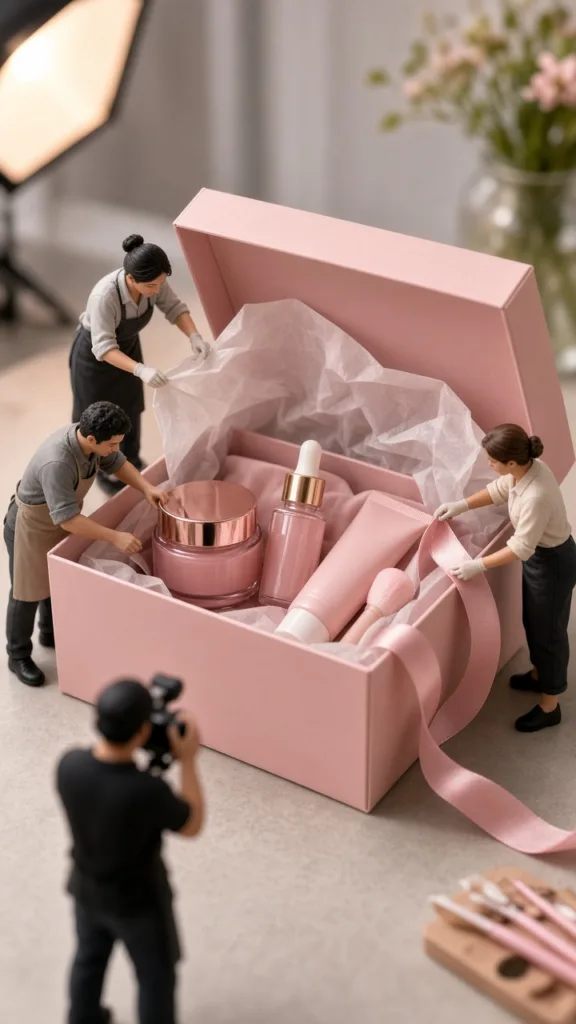
Miniature worker effect is a product-ad look where a normal packshot is surrounded by a tiny crew that styles, packs, repairs, or builds around your item. It is for small brands and phone sellers who want one hero photo to do more than sit on a white background.
The gag is simple but earns a second look: viewers clock the product first, then notice the little people at work. Below are four ways to use the miniature worker effect, plus a checklist to keep the scale believable on a small screen.
The miniature worker effect places small figures around a full-size product so the item stays the hero while a tiny crew supplies the action. It works because scale reads instantly, the packshot keeps selling, and one still can be reused as a product-page image, a carousel cover, or the first frame of a vertical video ad.
Why does the miniature worker effect stop the scroll?
Small figures make scale obvious in a split second. A moisturizer jar looks more substantial when a worker is buffing its lid; a sneaker box feels more giftable when a crew ties the ribbon. The product still does the selling, so keep the logo, silhouette, and key color clear and let the crew supply the movement.
Vertical framing matters because most of this content is watched on a phone. According to Meta’s Business Help Center (2025), the recommended aspect ratio for Reels is 9:16 (full portrait). According to TikTok’s advertising specifications (2025), in-feed videos are built for a 9:16 vertical frame at 1080×1920. Compose your miniature scene for that tall canvas from the start, not as a crop afterthought.
1. Styling crew reveal
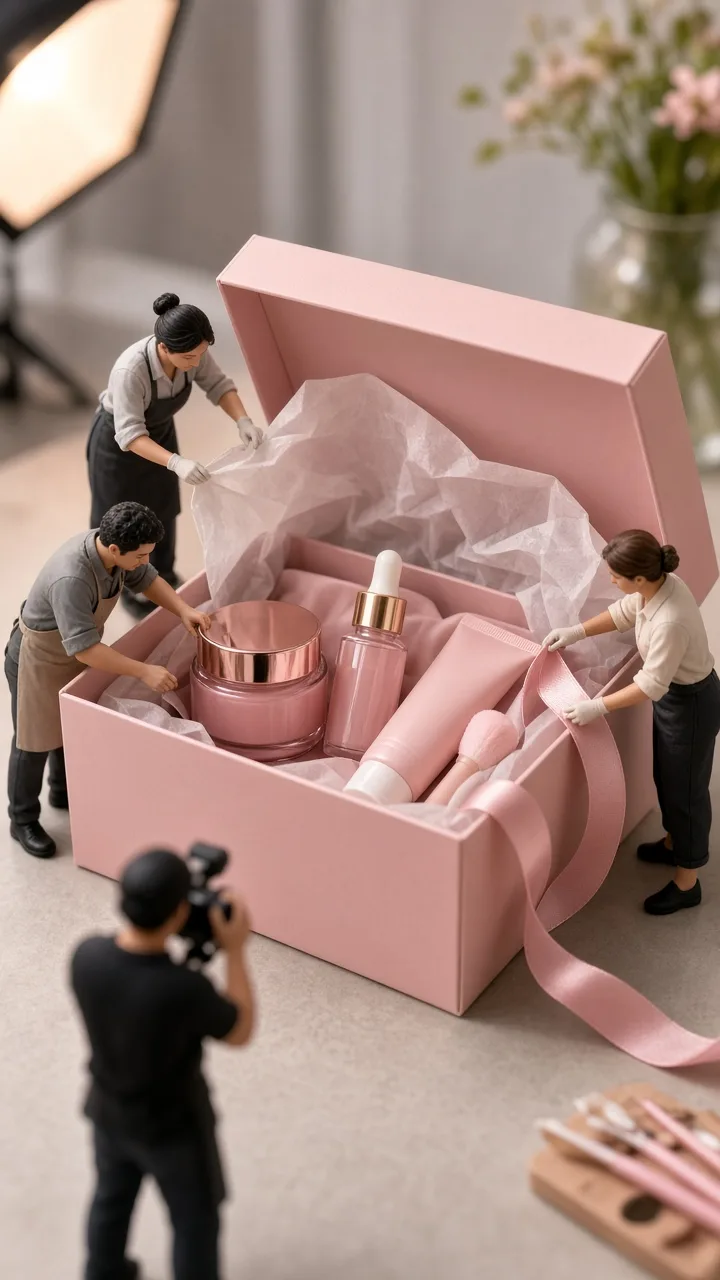
Use this when the package has a ribbon, label, tissue, or lid worth showing. Place two or three workers near a single detail: one holds the ribbon taut, one checks the label, one waits with a little ladder. Each job should read even at phone size.
Prompt direction
Start from a clear description like: “Premium skincare gift box on a clean cream studio surface, tiny stylists in neutral workwear arranging the satin ribbon and straightening a label, realistic miniature scale, soft side light, editorial product photography.”
Keep crew colors quiet when the packaging already has a strong palette, and shoot from a slightly low angle so the box feels monumental without hiding its front panel. This version suits gifting campaigns and premium bundles.
2. Packing crew close-up
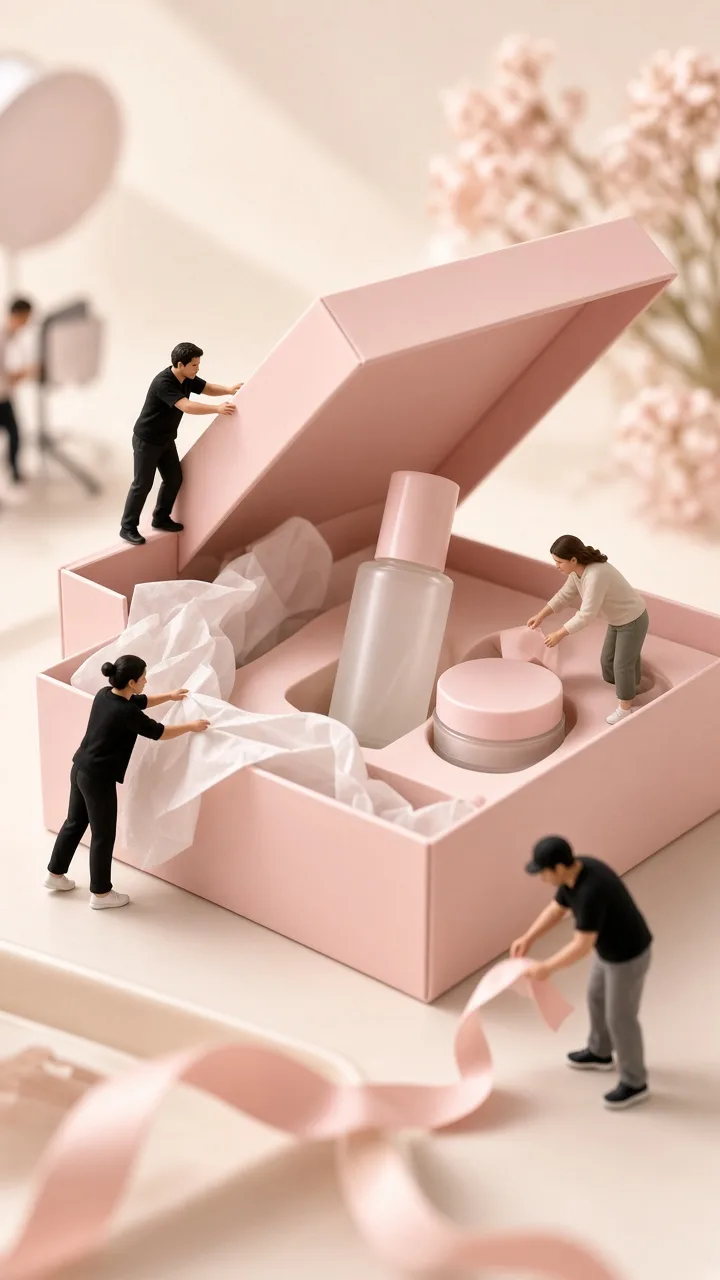
The packing story signals care and craft. It works best when the product sits beside one simple prop: tissue, a mailing box, or a small thank-you card. Leave a clear path between the prop and the product so the scene reads as a process, not a pile of objects.
Prompt direction
Try: “Close packshot of a skincare gift box, miniature fulfillment team placing tissue paper and a thank-you card beside the box, clean pale background, realistic shadows, vertical commercial composition.” Give each worker a separate task; repeated poses make a generated scene feel staged.
For the motion cut, animate only the tissue edge, a hand-off, or a label being pressed down; small movements sell the illusion better than a frantic factory. This look fits order-packing clips and seasonal shipping reminders.
3. Mini repair shop
Turn the product into a tiny workshop project. A small technician can polish a watch face, paint a sneaker detail, or inspect a speaker grille with a magnifier. This version suits products with texture and craftsmanship.
Prompt direction
Try: “Luxury wristwatch standing upright on a charcoal studio plinth, miniature watchmakers polishing the bezel with a tiny lamp, precise realistic figures, rich metal reflections, product centered and fully visible, premium advertising photograph.” Pick one surface detail as the worker target; a technician on the bezel makes sense, one floating over the logo does not.
Add a single tool that matches the task and avoid oversized machinery that confuses the scale. It doubles as a before-and-after: plain product first, polished shot after the crew arrives.
4. Launch-day build
For a more energetic ad, let the crew assemble a stage around the item. Tiny workers can raise a backdrop, roll out a runway, or set miniature lights, so the product becomes the star of its own launch event. This is useful when a new colorway or limited drop needs more drama than a plain white frame.
Prompt direction
Try: “Bright red running shoe on a minimal white pedestal, miniature event crew building a tiny launch stage around the shoe, small spotlights and a rolled runway, clean ecommerce styling, realistic scale, vertical ad frame.” Keep the background plain and reserve the lower third for the workers and props.
Put the product at or just above center with the front facing camera, and leave one clean side empty if text will be added later. Cut it into two shots: a wide view that reveals the build, then a close crop that holds on the product.
Which crew story fits your product?
Pick one story per frame. Mixing styling, packing, repairing, and building in a single image makes the concept muddy. Use this table to match the look to what you sell and where the ad will run.
| Crew story | Best for | Use it for |
| Styling crew reveal | Gift boxes, fragrance, candles, jewelry | Gifting campaigns, premium bundles |
| Packing crew close-up | Subscription boxes, small parcels, handmade goods | Order-packing clips, shipping reminders |
| Mini repair shop | Watches, sneakers, tech, beauty packaging | Craft and quality stories, before-and-after |
| Launch-day build | New colorways, limited drops, hero SKUs | Launch teasers, paid-social openers |
When you are ready to build the scene, our team’s iOS app can help: you can turn a single product photo into a miniature-crew product ad in Prodvid, then export it in a 9:16, 1:1, or 16:9 frame. Prodvid is our app for AI product video ads and is free to start, so you can test a crew story before a full shoot.
How do you make the miniature worker effect look real?
Believability comes down to scale, light, and restraint. Start from one clean hero product photo with bright, even light and a readable front, then follow this checklist before you export.
- Use two to four workers. More figures hide the product and add visual noise.
- Match the light. Worker shadows must fall in the same direction as the packshot.
- Protect the product edges. Never place a figure across the logo, cap, or hero detail.
- Choose one camera angle. A close, eye-level product shot beats a wide overhead scene for this illusion.
- Pick one story. Styling, packing, repairing, or building – not all four at once.
- Plan the crop. Build for 9:16 first if the asset will lead a Reel, Short, or product ad.
Before exporting, view the image at phone size. If the workers read as specks, enlarge them slightly; if the product feels like a background prop, remove tools and clear space around it. The best version stays simple: one strong product, one tiny story, one detail worth replaying.
FAQ
What is the miniature worker effect?
It is a product-ad style where small figures are placed around a full-size product so a tiny crew appears to style, pack, repair, or build around it. The product stays the hero and does the selling, while the miniature workers add movement and a clear sense of scale.
What products work best with the miniature worker effect?
Items with a clear front and one detail worth showing work best: gift boxes, fragrance, candles, jewelry, watches, sneakers, and small tech. If a product is very plain, add a single prop or accent color so the crew has an obvious task to perform.
How many tiny workers should I use?
Two to four. Fewer than two makes the scene feel empty; more than four crowds the frame and hides the product. Give each worker a separate, readable job so the group looks purposeful rather than staged.
What aspect ratio should the ad be?
Build vertical first. Meta recommends 9:16 for Reels and TikTok uses a 9:16 frame at 1080×1920, so composing tall keeps the product centered on a phone. You can export a 1:1 or 16:9 version afterward for feeds and marketplace listings.
Key takeaways
- The miniature worker effect keeps the product as hero while a tiny crew supplies the action and the scale cue.
- Pick one story per frame – styling, packing, repair, or launch – and match it to your product with the table above.
- Use two to four workers, match their shadows to the packshot, and never cover the logo or hero detail.
- Compose 9:16 first for Reels, Shorts, and TikTok, then export square or landscape versions from the same scene.
Sources
- Meta Business Help Center, Reels ad specifications (2025): facebook.com/business/help
- TikTok Business Help Center, video ad specifications (2025): ads.tiktok.com/help