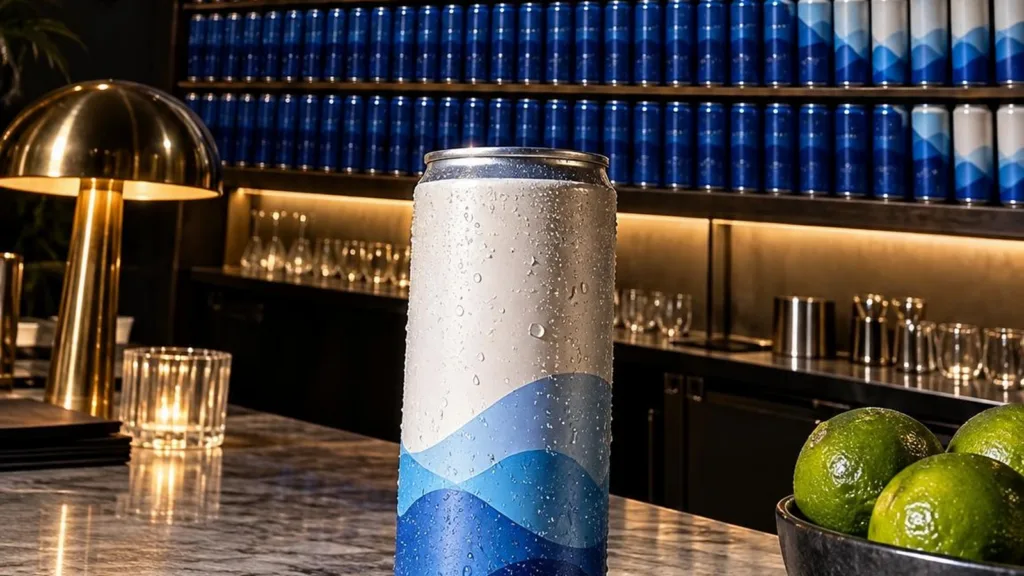
Product reveal effect videos turn a simple camera move into a visual punchline: one product appears first, then a much larger stockpile is revealed. This guide is for small brands and sellers who want to shoot that deadpan idea on a phone.
A strong stockpile reveal starts with one clean hero item, uses a tilt, pan, or pull-back to expose repeated products, and ends long enough for the full arrangement to register. The contrast between the ordinary opening and oversized collection creates surprise without requiring actors, a studio, or a complicated story.
Why the product reveal effect works
The first frame creates a small, understandable expectation. The second breaks it with scale. Viewers do not need a voiceover to understand why one tube becoming a shelf of tubes is funny, useful, or both.
Repetition also turns inventory into a design element. A restock can communicate availability, a shade wall can communicate range, and a drawer full of one practical object can suggest several use cases. Keep the logic simple: the reveal should show more of the same product or a clearly related collection.
The effect is strongest when the opening looks almost casual. Use one believable surface, one item, and one short line. Save the visual density for the reveal. If both frames are busy, the change will feel smaller.
4 deadpan product reveal effect looks to try
1. The single-to-shelf tilt
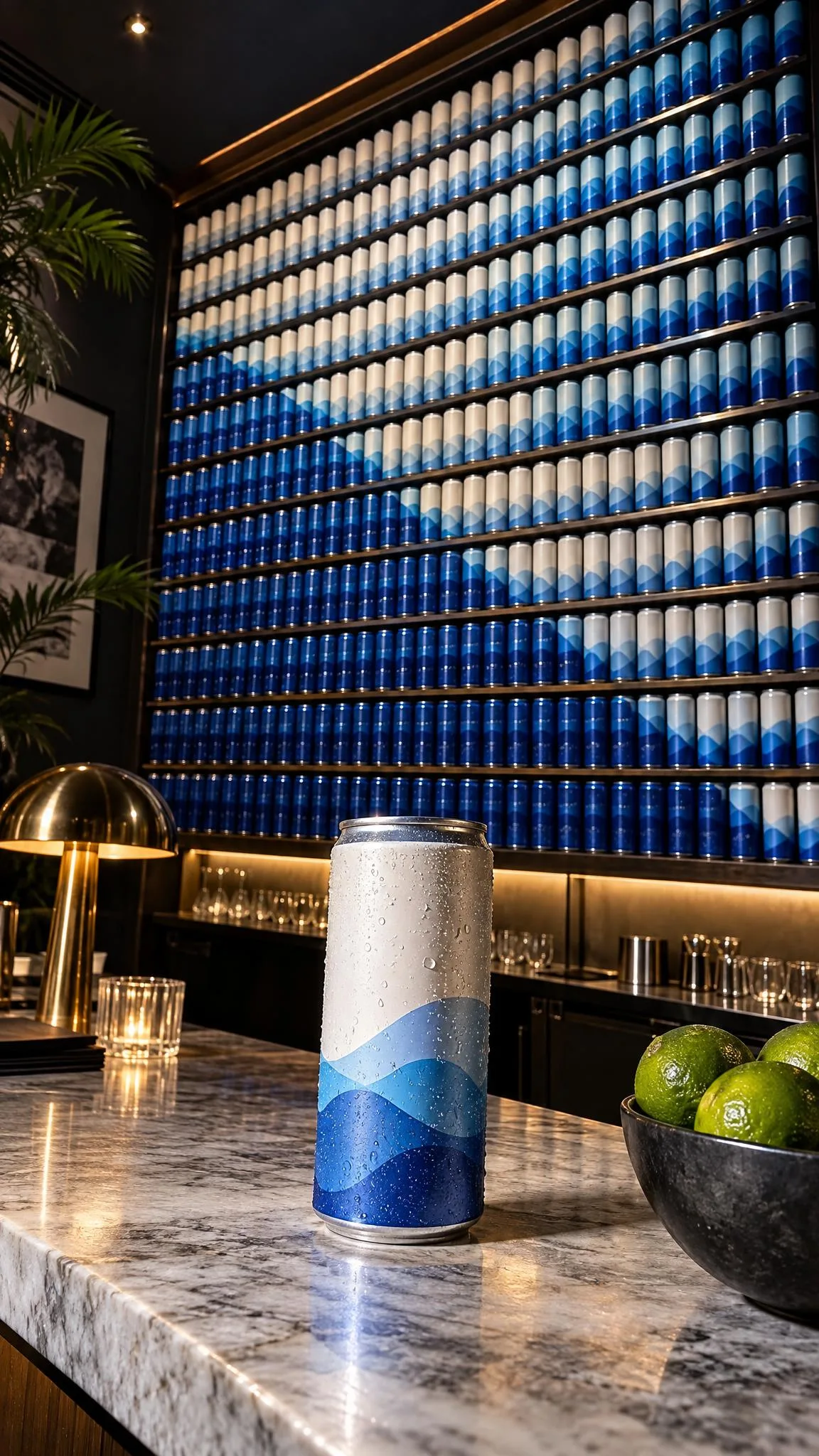
Set one item near the bottom of the frame, then tilt upward to a shelf filled with matching units. This is a practical setup for restocks, flavor collections, new packaging, or a limited drop.
Lock exposure and focus before moving. The hero item should match something near the center of the final arrangement, giving the viewer a visual thread through the move. A slow tilt feels polished; a quick tilt makes the reveal more playful.
Opening line: “We only ordered a few.”
2. The direct-flash stockpile
Start close on one snack, skincare tube, accessory, or small home item. Pan quickly toward a repeated pile lit with direct flash. The imperfect creator-camera mood makes the abundance feel like a discovery rather than a formal catalog shot.
Arrange the pile before turning on flash. Point reflective packs slightly away from the phone so highlights do not hide the product shape. Leave gaps around the front row; a solid mass is harder to read on a small screen.
Opening line: “This may have got out of hand.”
3. The color-block collection
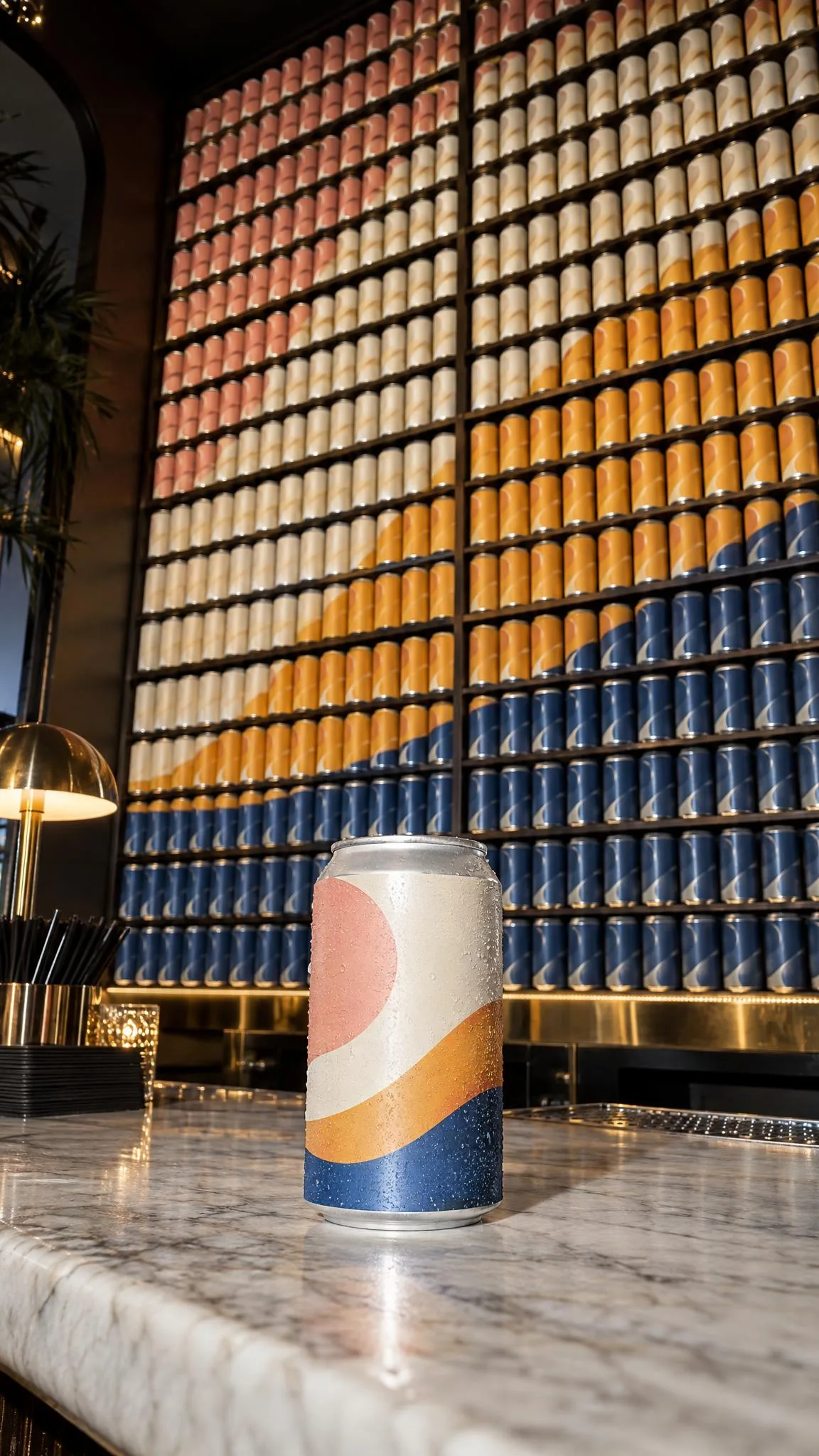
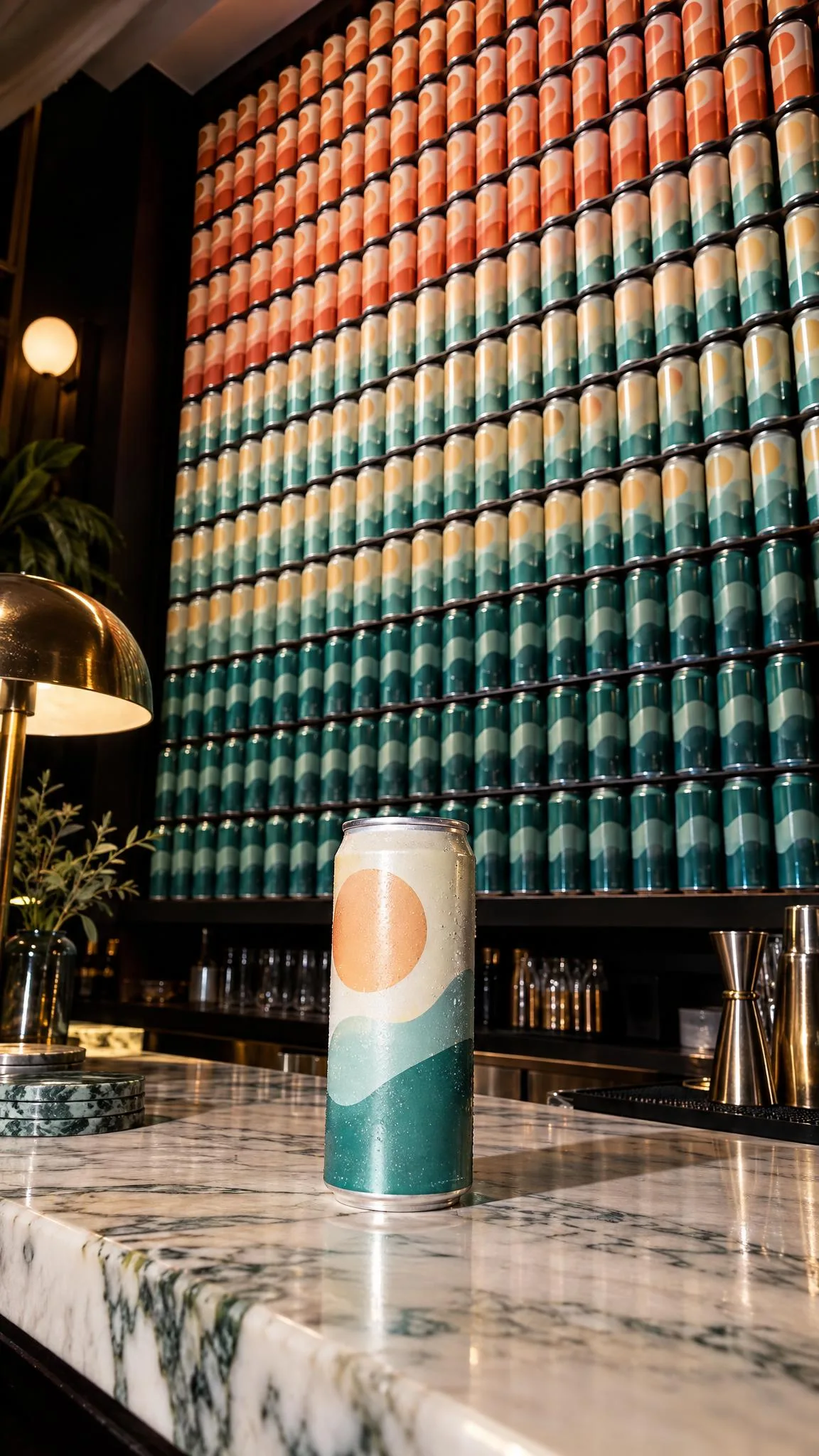
Choose one hero shade for the first frame, then pan across the whole palette. Arrange the collection from light to dark, warm to cool, or in alternating brand colors. This works well for drinkware, beauty, stationery, socks, phone cases, and other products sold in variants.
Keep the camera parallel to the display so rows stay straight. Put your most recognizable color near the starting point and the full range in the final frame. Do not mix color order, camera movement, and multiple props; one organizing idea is enough.
Opening line: “I said I picked one color.”
4. The useful-object stash
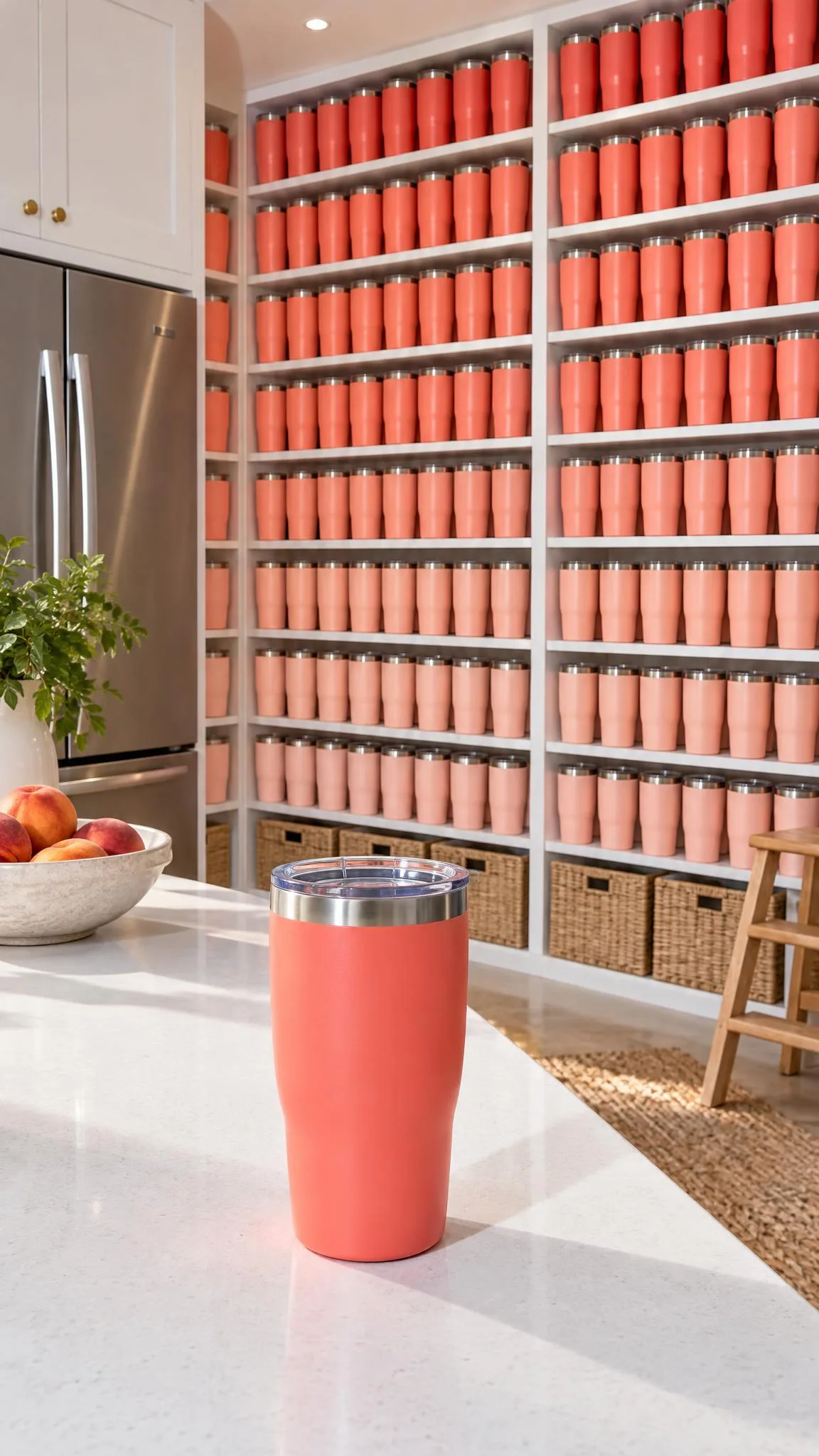
Open on an item people reasonably keep in several places, then pull back to reveal a basket, drawer, or counter full of it. Chargers, candles, pantry goods, pet toys, reusable bottles, and travel accessories all support a believable reason for multiples.
Give the stash structure. Rows, baskets, cubbies, or trays read faster than a random heap. Pair the reveal with a use-case phrase such as “one for every bag” or “backup for the backup,” but let the picture deliver the punchline.
How do you shoot the product reveal effect on a phone?
Shoot the opening and reveal as two controlled moments, even if you intend the result to feel spontaneous. A phone tripod, stack of books, or firmly planted elbows will keep the starting frame stable. Clean the lens, lock focus on the product, and avoid changing rooms between shots.
- Build the ending first. Arrange the full stockpile and decide where the camera must finish.
- Choose one movement. Tilt for height, pan for a wide collection, or pull back when products surround the hero.
- Rehearse the path. Mark the start and end positions with removable tape outside the frame.
- Record extra handles. Hold still for one second before the move and two seconds after it.
- Make one clean cut. Trim hesitation but preserve a short pause so viewers can read the final arrangement.
According to the TikTok Business Help Center (June 2026), 9:16 is the recommended vertical dimension for non-Spark in-feed ads, with a minimum of 540 by 960 pixels. Frame the reveal vertically and keep essential product details away from interface-covered edges.
According to the TikTok Business Help Center (June 2026), non-Spark video ads may be up to 10 minutes and 500 MB. Those are limits, not creative targets: this visual joke usually benefits from a short setup, one decisive move, and a readable final hold.
If you need an alternate way to build the concept from a still, you can turn a product photo into an AI product video ad with Prodvid, our iOS app. Check repeated packaging, labels, edges, colors, and product count before publishing any AI-assisted version.
For more practical planning, use this 12-clip product video shot list. If the reveal will run across several placements, also check the product video aspect ratio guide before editing.
A copyable stockpile reveal script
Use this seven-shot checklist as a compact production template:
- Hero frame: one product on a plain surface, held for one second.
- Plain setup: say or caption, “Just one small restock.”
- Movement: tilt, pan, or pull back in one direction.
- Wide reveal: show the complete stockpile without cropping the edges.
- Detail insert: capture one row, shade group, or texture close-up.
- Final hold: keep the full arrangement visible for two seconds.
- Backup take: repeat with a slower move and no opening caption.
Before exporting, confirm that focus stays steady, every pack faces the intended direction, highlights do not hide important details, and the final frame has breathing room. A neat arrangement makes the abundance legible; the deadpan wording makes it funny.
FAQ
What products work best for a stockpile reveal?
Small, repeatable products with recognizable shapes work best. Try cans, candles, tubes, jars, pouches, socks, pet toys, notebooks, or accessories. Large items can work with fewer units, but the final composition still needs an obvious increase from the opening frame.
How many products do you need for the effect?
You need enough products to make the second frame visibly different, not necessarily dozens. Six items in orderly rows can outperform a chaotic pile of thirty. Test the final frame on your phone at normal viewing size; if the repetition reads instantly, the count is sufficient.
How long should a product reveal video be?
A practical starting point is six to twelve seconds: one second for the setup, a quick movement, several seconds for the reveal, and a brief ending. The correct length depends on how quickly the arrangement becomes clear. Do not cut away before viewers can recognize the product and the scale change.
Can you make the effect without showing text?
Yes. The visual contrast can carry the full idea when the first frame is simple and the reveal is obvious. Record one version without text and another with a short setup line. Avoid explaining the stockpile after the reveal; repeating the joke usually weakens it.
Key takeaways
- Begin with one clean hero product and save visual density for the reveal.
- Use one movement—tilt, pan, or pull-back—and hold the ending long enough to read.
- Arrange repeated products by a clear rule such as rows, shade order, or use case.
- Shoot a slower backup take and test versions with and without an opening caption.
- Check focus, glare, packaging details, and safe framing before publishing.
Sources
- TikTok Business Help Center: TikTok Auction In-Feed Ads (last updated June 2026).