A travel day product effect gives an ordinary item a reason to be in the frame. A tumbler, a lip oil or a charger stops reading like a catalog cutout the moment it looks packed for somewhere. This guide is for small brands and solo sellers who want a short, scroll-friendly ad without a flight or a studio.
You need very little: one hero product, one travel cue, one clear action and a vertical crop. Below are four looks you can stage at home and finish on your phone.
A travel day product effect is a short vertical ad that places one product inside a recognizable travel moment (a suitcase, an airport window, a security tray or a boarding gate) so the item gains a small story. You stage a single hero product, add one travel cue, cut on one action, and export a 9:16 clip for Reels, TikTok or Shorts.
Why do travel day product effects work?
Travel already carries movement, anticipation and a small problem to solve, so an accessory instantly gets a job: a bottle survives the long layover, a power bank is the last-minute save before boarding. Those tiny stories make a creator-style ad feel lived-in rather than staged on a blank background.
Readability comes first. Keep a clean silhouette, a label facing the camera, and one product color that separates it from the suitcase behind it. Adobe’s photoshoot planning guide makes the same point: props should support the idea, not compete with it. For a generated scene, name the product, setting, light, framing and texture instead of a vague phrase like “travel aesthetic.”
The four looks at a glance
| Look | Travel cue | Best for | Camera move |
|---|---|---|---|
| Suitcase color contrast | Hard-shell case as a color field | Drinkware, supplements, beauty minis | Two-second push-in |
| Airport window light | Runway or gate out of focus | Makeup, headphones, fragrance | Slow push with rack focus |
| Security tray reveal | Carry-on clutter to clean tray | Chargers, adapters, grooming tools | Locked top-down, cut on motion |
| Boarding gate handoff | One hand, gate seating behind | Earbuds, snacks, wellness items | Handheld POV with slight sway |
Travel day product effect: suitcase color contrast
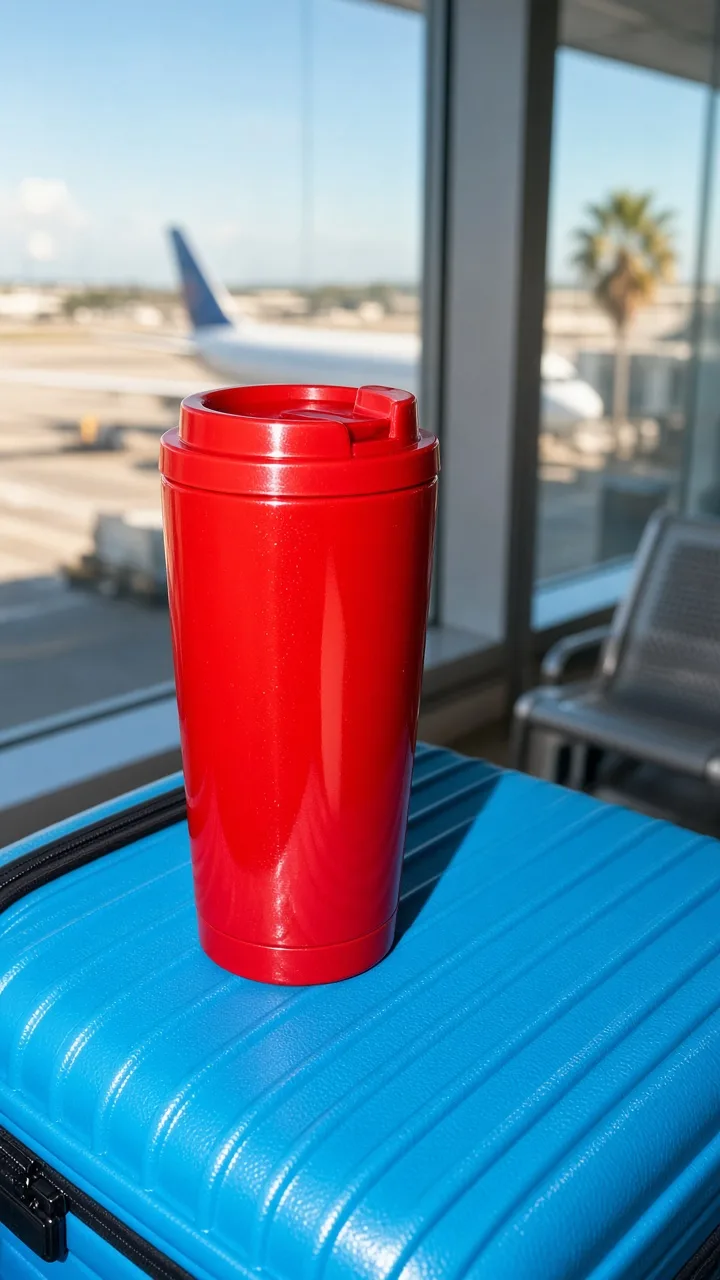
1. Make the case the backdrop
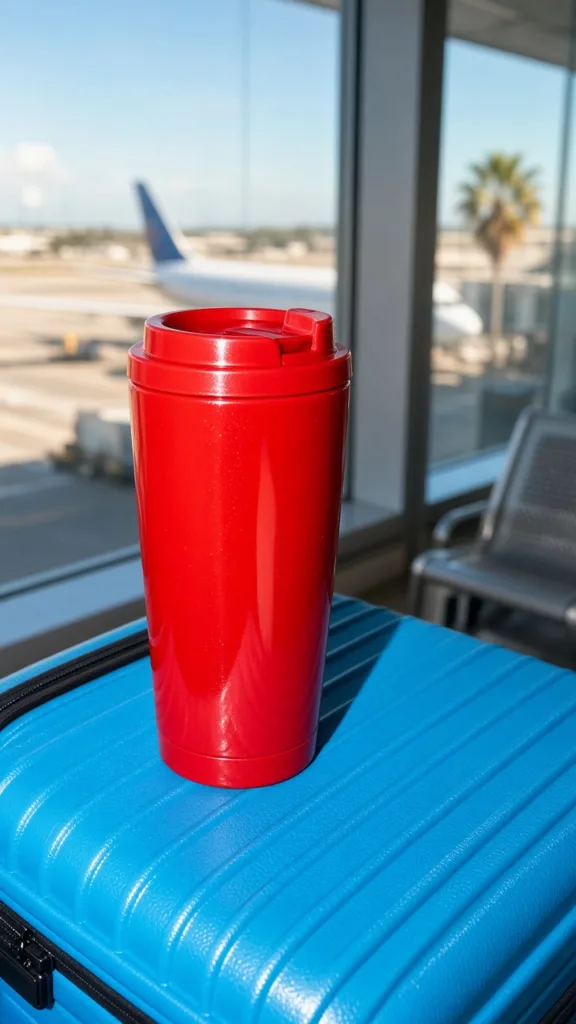
Stand the product on a hard-shell suitcase and treat the case like a flat field of color. Pick two colors with real separation so they read at thumbnail size: a coral bottle on cobalt luggage, or a cream tube on forest green. Skip busy suitcase prints, which chop up the label.
Start with a straight-on close crop and leave the handle or luggage tag near an edge so the travel cue stays secondary. Animate a two-second push-in, let a hand enter to lift the item, and hold the final label for half a second so an editor has room for price text.
This look suits drinkware, supplements, beauty minis and travel organizers, and makes an easy first frame for a three-clip Reel.
Airport window light with a candid flash
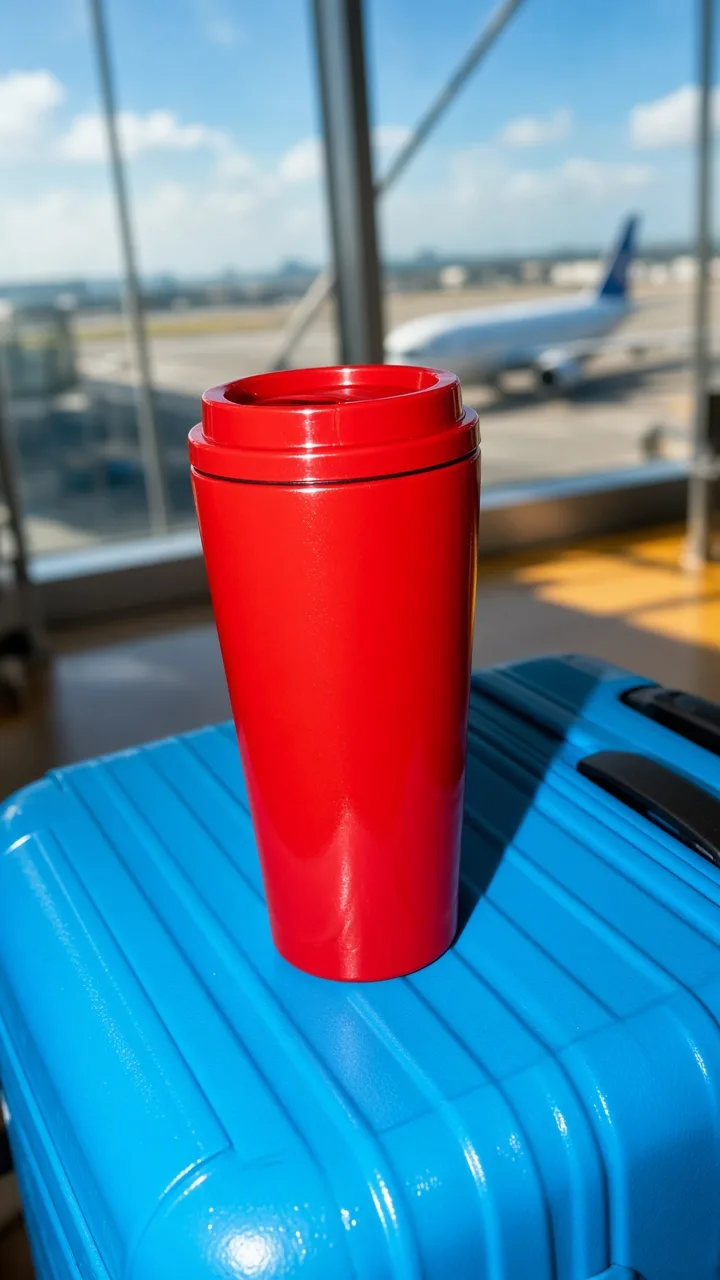
2. Shoot toward the gate, not the whole terminal
Window light gives the product shape, and a light direct flash stops it from disappearing against a bright runway. Set the item on an armrest, a café table or an open carry-on, and let the planes and gates fall out of focus. The viewer only needs enough background to recognize the setting.
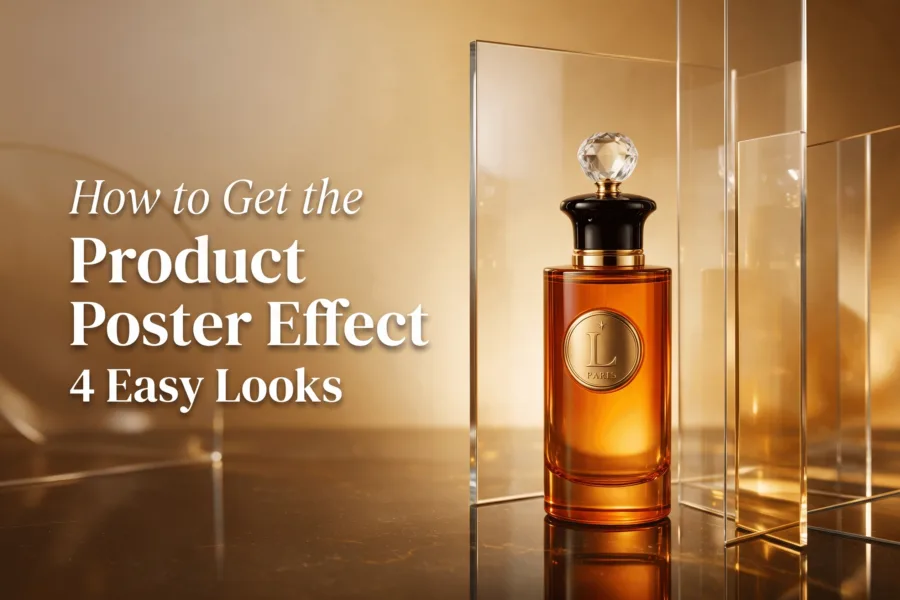
Frame vertically with the product in the lower middle third, angled toward the window so an edge catches light. Keep the background a stop or two brighter, then lift the product with a quick flash. In video, use a slow push and a rack focus to the item. A similar edge-of-light trick powers the setups in our glass reflection product look guide.
This one fits makeup, headphones, fragrance and small tech, and pairs well with a text hook like “The one thing that stays in the personal item.”
Security tray reveal
3. Turn the tray into a before-and-after beat
The security-tray setup builds a clean transition without a real airport shoot. Surround the product with ordinary carry-on items (a passport cover, sunglasses, a cable, a folded sweater), then on the beat clear the clutter or slide the tray out of frame. The product stays in place, now on a clean surface with stronger light.
Keep every prop low and flat so nothing blocks the hero, and pick a tray color that contrasts the packaging. Film the messy and clean frames from a locked camera position, then cut on the motion of a hand, tray or zip. For a generated version, ask for a top-down angle with negative space for a caption.
This is a strong format for chargers, toiletry bags and travel adapters, giving paid-social teams a problem-then-solution sequence in seconds.
Boarding gate handoff
4. Use one hand and one point of view
For a more personal take, shoot from the holder’s point of view. A hand holds the product in front of a gate chair or suitcase handle, so the clip feels like a quick creator update rather than a formal ad. The trick is restraint: one hand, one product, one background shape. The same discipline drives our handheld product story playbook.
Keep fingers clear of the label and match the sleeve color to the product palette without letting both shout. Add a slight walking sway, and if the product is reflective, rotate it so the brightest reflection lands on an edge, not across the branding.
This format suits accessories, snacks, headphones and wellness products, and can open a UGC-style ad or a story frame with a tap-to-shop sticker.
How do you shoot it on a phone?
Stage the scene on a table, lock your phone on a small tripod, and light one side with a window while a phone flash fills the shadow. Then run this checklist before you post:
- Use a 9:16 crop and leave clear space at the top or bottom for platform text.
- Make the product larger than any prop. If the label is unreadable, the scene is not ready.
- Choose one travel signal per frame: suitcase, boarding pass, window, tray or gate seating.
- Cut movement on a beat. A pickup, a tray slide or a small camera push gives the edit a reason to change.
- Export one clean version and one version with a short hook.
If you would rather skip the physical set, you can turn a single product photo into a short travel-day ad in Prodvid, our iOS app for AI product video ads. Prodvid is made by the Adseezy team; it starts free, works from one photo, and exports 9:16, 1:1 and 16:9 clips, so you can generate the suitcase or gate scene and keep the same product across every variant.
FAQ
What is a travel day product effect?
It is a short vertical product ad that stages one item inside a familiar travel moment, such as a suitcase, an airport window, a security tray or a boarding gate. The travel cue gives the product a small story and a sense of movement, which makes a creator-style clip feel less staged than a plain-background packshot.
Do I need to film at a real airport?
No. Every look here can be staged on a table at home. A hard-shell suitcase, a window, a plastic tray and a few carry-on props stand in for the terminal, and shallow focus hides the rest. You can also generate the airport scene around your product photo instead of traveling to shoot.
Which aspect ratio should travel product ads use?
Use 9:16 vertical for TikTok, Reels and Shorts. According to TikTok’s advertising specifications (2026), in-feed video uses a 9:16 ratio at 1080 x 1920, and Meta’s Reels guidelines (2026) recommend the same 9:16 full-screen format. Export a 1:1 or 16:9 version only for feed or landscape placements.
How long should the clip be?
Keep the hero moment between five and fifteen seconds; one travel cue and one action are enough. For a longer edit, chain three short beats (suitcase close-up, product pickup, destination) rather than stretching one shot past its idea.
Key takeaways
- Give a product one travel cue and one clear action; restraint reads better than a busy terminal.
- Keep the label sharp and high-contrast so it survives a phone screen at thumbnail size.
- Four reliable looks: suitcase color field, window light with a flash, security tray reveal, and a one-hand gate handoff.
- Shoot 9:16, cut on motion, and export a clean version plus one with a hook.
Sources
- Adobe Express, Photoshoot best practices.
- TikTok for Business, TikTok video ad specifications (2026).
- Meta, Instagram Reels ads specifications (2026).