Jelly product effect styling surrounds a recognizable pack with translucent, wobbling color so the product feels tactile without becoming hard to identify. It suits small beauty, drink, fragrance, supplement, and accessory brands that want a playful phone-first ad from one clean product image.
This guide shows four distinct looks, a practical shot plan, prompts you can adapt, and checks that keep labels and silhouettes clear. The goal is not to make every surface glossy. It is to use one controlled gel-like element as the visual hook.
Why does the jelly product effect work?
The jelly product effect works because it pairs a familiar package with an unexpected material. A bottle remains a bottle, but translucent folds, wet highlights, or a soft wobble give the frame a small visual puzzle. That contrast can make a simple packshot feel designed rather than merely documented.
Recognition still comes first. Preserve the product outline, cap, color, and the part of the label that tells a shopper what the item is. Put the surreal material beside, behind, or below the pack instead of stretching it across every important detail.
The effect also provides an obvious motion cue. A ripple can pass through a gel base, a highlight can travel across a translucent wave, or a halo can rotate slowly. Keep the pack steady while one surrounding element moves.
4 jelly product effect looks to try
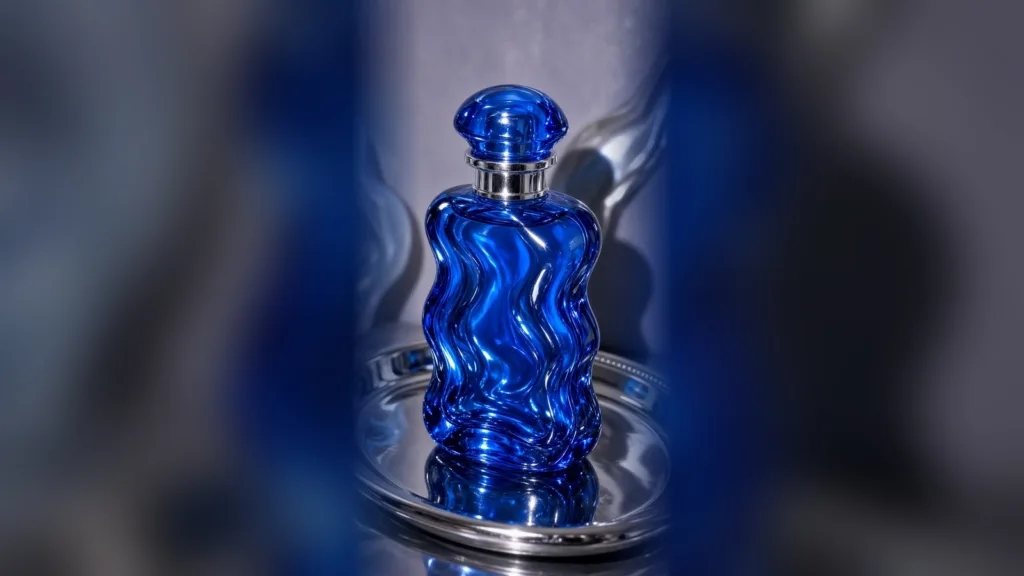
1. Cobalt jelly sculpture
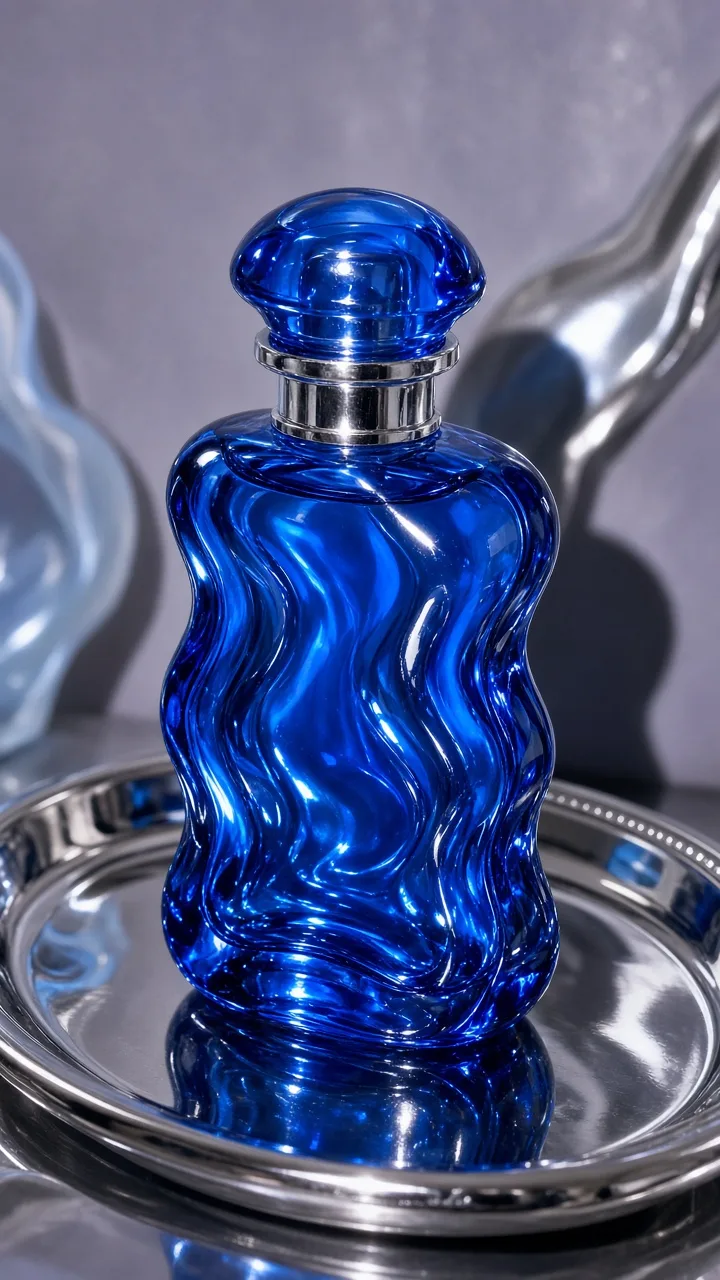
Build rounded blue or violet folds around a fragrance, serum, or compact bottle. Place the pack slightly above center and leave a clean gap around the cap. The monochrome palette feels polished, while the curved material keeps it playful.
Prompt template: “Front-facing [product] centered in a translucent cobalt gel sculpture, rounded folds, bright controlled reflections, clean saturated backdrop, product silhouette unobstructed, premium product photography.”
Motion idea: Hold the product still and move one narrow reflection from left to right. End on a calm frame long enough for the product to be recognized.
2. Direct-flash jelly wave
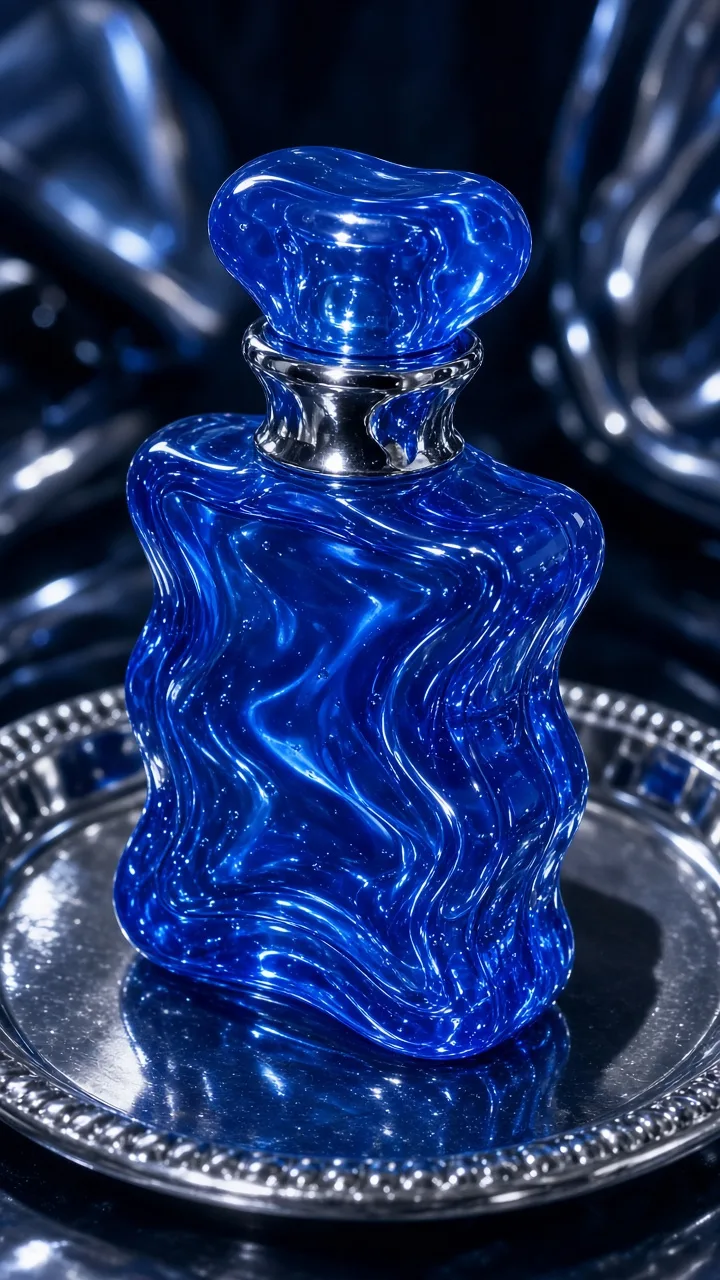
Set the product on pale acrylic or a plain glossy tile. Add one clear or tinted wave beside it, then use a direct light to create a crisp shadow and bright hotspots. This rougher lighting style works well when a highly polished studio look would feel too distant.
Prompt template: “Glossy [product] on a pale acrylic surface, translucent [accent color] jelly wave curling beside it, direct frontal flash, short crisp shadow, wet reflections, clear product outline.”
Motion idea: Start with the plain packshot, let the wave curl into frame, then cut back to the clean product. The before-and-effect sequence explains the visual quickly.
3. Fruit-gel halo
Place an uneven translucent ring behind the product instead of wrapping it around the label. Choose a secondary package color: orange behind a vitamin serum, lime behind a drink can, or soft pink behind a lip product. A slightly irregular ring feels more physical than a perfect graphic circle.
Prompt template: “Centered [product] with a floating translucent [color] gel halo behind it, rounded droplets, soft studio light, clean negative space, package front fully visible.”
This is the safest option for a detailed label because the middle stays clear. It also creates a strong thumbnail shape for a routine clip, collection tile, or short product reveal.
4. Clear jelly pedestal
Stand the pack on a wide gel base and keep the background matte. A low camera angle gives shoes, cans, and larger bottles extra presence; eye level is better for small cosmetics. The base should look stable enough to support the item, even when it makes a subtle wobble.
Prompt template: “Upright [product] on a wide transparent [color] jelly pedestal, matte background, soft side light, one narrow highlight, crisp product edges, generous negative space.”
Animate either a small movement in the base or a light sweep, not both. For another translucent staging approach, compare this setup with the bubble product effect for phone ads.
How do you build a jelly product effect for a phone ad?
Start with a clean control image, create one effect variation at a time, and edit the result into a short reveal. This process makes it easier to spot when the treatment changes the package shape or hides information.
- Clean the pack. Wipe glossy surfaces, remove dust, and straighten the label.
- Shoot the control. Use the phone’s main rear camera, a tripod or stable support, soft side light, and a simple background.
- Lock recognition cues. Note the cap shape, label boundary, hero color, and any product detail that must remain unchanged.
- Choose one jelly behavior. Use a wave, halo, pedestal, or surrounding folds rather than combining all four.
- Make two restrained variants. Change only the gel color or thickness so you can compare the idea fairly.
- Add minimal motion. Use one ripple, wobble, orbit, or light sweep while the product stays stable.
- Check at phone size. Watch once with sound off and confirm the product type is clear in the first frame.
If you prefer an AI-assisted route, you can turn a clean product photo into a short ad with Prodvid. Prodvid is our iOS app for AI product video ads; keep the same recognition checks in your review before publishing.
Design the final crop around where it will run. Leave breathing room around the object so captions and interface elements do not collide with it. According to YouTube (2026), Shorts averages more than 200 billion daily views, which is a useful reminder that a clear opening frame must work in a crowded short-form feed.
According to YouTube (2026), the service has localized versions in more than 100 countries across 80 languages. If you localize an ad, keep the jelly footage reusable and place language-specific copy in the edit rather than baking words into the generated scene.
Copyable jelly-effect production checklist
- Product outline is unchanged and easy to identify.
- Label, shade, flavor, or model detail is not covered by gel.
- Only one jelly form leads the frame.
- Gel color supports the package instead of matching every surface.
- Highlights do not erase pale packaging.
- Motion belongs to the effect, not to the product itself.
- First and final frames work as clean still images.
- Vertical crop leaves safe space above and below the pack.
- Result has been checked at actual phone size.
If the frame becomes too busy, remove bubbles and extra reflections before changing the product. For a colder, sharper texture treatment, the crushed ice product effect guide offers a useful contrast.
Jelly product effect FAQ
What products suit a jelly product effect?
Products with a simple silhouette and one strong color usually suit the jelly product effect best. Fragrance, skincare, drinks, supplements, shoes, and small accessories give the translucent material enough room to be noticed. Detailed or reflective packs can still work, but the gel should sit behind or below them.
How do you keep a label readable in a jelly product ad?
Keep gel folds, bubbles, and bright reflections away from the main label area. Begin with a straight-on control image, preserve one sharp label edge, and compare every variation against the original. If the product name disappears at thumbnail size, simplify the material rather than adding more light.
Can you shoot the jelly look without real gel?
Yes. Use clear acrylic, colored transparent sheets, a glossy tile, and moving light to suggest the material in camera, or build the surrounding texture with an AI workflow. Whichever route you choose, keep the real package geometry as the reference and review the output closely.
How much movement should the jelly effect have?
One slow movement is usually enough: a small wobble, a single ripple, or a narrow light sweep. Several simultaneous motions can make the pack appear unstable and distract from the offer. Pause near the end so the final product frame remains easy to read.
Key takeaways
- Use translucent material as a frame, base, or accent—not as a mask over the product.
- Keep the package stable and animate one surrounding element.
- Start from a clean phone-shot control image before making variations.
- Review the label and silhouette at thumbnail size before publishing.
- Reuse clean footage across crops and localized edits.
Sources
- YouTube Press: YouTube by the numbers (accessed September 2026).